


Lit
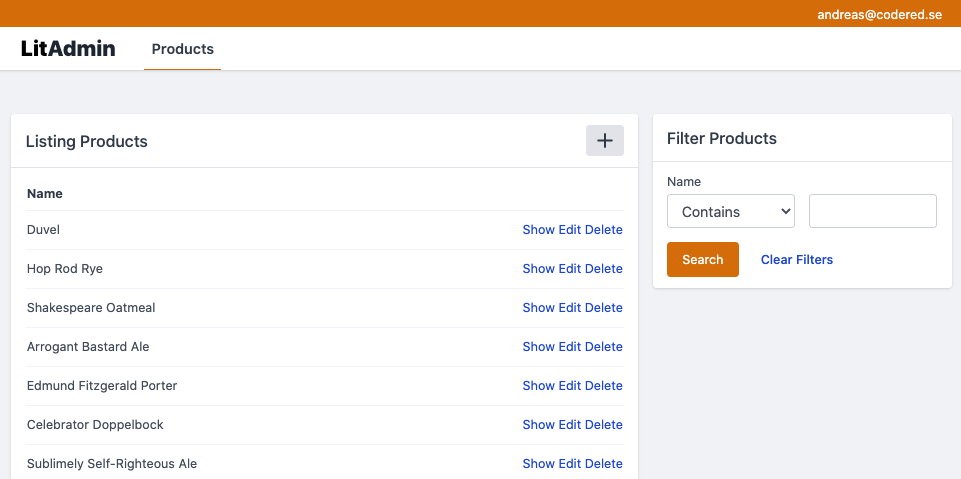
Lit is an admin generator for Phoenix LiveView and Talwind apps. It creates custom templates and relies on the Phoenix live generator under the hood. The project is a fork from Torch
Installation
To install Lit, perform the following steps:
- Add
litto your list of dependencies inmix.exs. Then, runmix deps.get:
def deps do
  [
    {:lit, "~> 0.1.0"}
  ]
end- Configure Lit by adding the following to your
config.exs.
config :lit,
  otp_app: :my_app_name,
default_web_namespace: "admin"- Run
mix lit.install
Now you're ready to start generating your admin! :tada:
Usage
Lit uses Phoenix generators under the hood. Lit injects it's own custom templates
into your priv/static directory, then runs the mix phx.gen.live task with the options
you passed in. Finally, it uninstalls the custom templates so they don't interfere with
running the plain Phoenix generators.
In light of that fact, the lit.gen.live task takes all the same arguments as the phx.gen.live,
but does some extra configuration on either end. Checkout mix help phx.gen.html for more details
about the supported options and format.
For example, if we wanted to generate a blog with a Post model we could run the following command:
$ mix lit.gen.html Blog Post posts title:string body:text published_at:datetime published:boolean views:integerThe output would look like:
Add the resource to your browser scope in lib/my_app_web/router.ex:

    resources "/posts", PostController
Lit also installed an admin layout into your my_app_web/templates/admin/layout/lit.html.leex.
You will want to update it to include your new navigation link:
<nav class="lit-nav">
  <a href="/posts">Posts</a>
</nav>
There may be times when you are adding Lit into an already existing system
where your application already contains the modules and controllers and you just
want to use the Lit admin interface. Since the lit.gen mix tasks are just
wrappers around the existing phx.gen tasks, you can use most of the same
flags. To add an admin interface for Posts in the previous example, where the
model and controller modules already exist, use the following command:
$ mix lit.gen.html Blog Post posts --no-schema --no-context --web Admin title:string body:text published_at:datetime published:boolean views:integerAssociation filters
Lit does not support association filters at this time. Filtrex does not yet support them.
You can checkout these two issues to see the latest updates:
https://github.com/rcdilorenzo/filtrex/issues/55
https://github.com/rcdilorenzo/filtrex/issues/38
However, that does not mean you can't roll your own.
Example
We have a Accounts.User model that has_many :credentials, Accounts.Credential and we want to support filtering users
by credentials.email.
- Update the
Accountsdomain.
# accounts.ex
...
defp do_paginate_users(filter, params) do
  credential_params = Map.get(params, "credentials")
  params = Map.drop(params, ["credentials"])

  User
  |> Filtrex.query(filter)
  |> credential_filters(credential_params)
  |> order_by(^sort(params))
  |> paginate(Repo, params, @pagination)
end

defp credential_filters(query, nil), do: query

defp credential_filters(query, params) do
  search_string = "%#{params["email"]}%"

  from(u in query,
    join: c in assoc(u, :credentials),
    where: like(c.email, ^search_string),
    group_by: u.id
  )
end
...- Update form filters.
# users/index.html.eex
<div class="field">
  <label>Credential email</label>
  <%= text_input(:credentials, :email, value: maybe(@conn.params, ["credentials", "email"])) %>
</div>
Note: You'll need to install & import Maybe into your views {:maybe, "~> 1.0.0"} for
the above eex to work.
Styling
Lit depends on that you use Tailwind in your application. The generated codes has comes with utilitu classes.