Examples Overview
Pentiment helps you create beautiful, informative error messages for your Elixir macros and DSLs. This guide walks through five example integrations demonstrating different patterns.
Available Examples
| Example | Pattern | Dependencies |
|---|---|---|
| Config Validation | Compile-time validation with typo detection | None |
| State Machine DSL | Multi-span errors with related definitions | None |
| Guard Restriction | AST walking with __before_compile__ | None |
| Parser Errors | Rich error messages from parsers | nimble_parsec |
| YAML Validation | Semantic validation of parsed files | yamerl |
Quick Start
The simplest integration pattern is:
- Extract span information from your AST or source
- Build a
Pentiment.Reportwith labels pointing to the problem - Format and raise the error
defmacro my_macro(expr) do
  if invalid?(expr) do
    span = Pentiment.Elixir.span_from_ast(expr)
    source = Pentiment.Elixir.source_from_env(__CALLER__)

    report = Pentiment.Report.error("Invalid expression")
      |> Pentiment.Report.with_code("E001")
      |> Pentiment.Report.with_source(__CALLER__.file)
      |> Pentiment.Report.with_label(Pentiment.Label.primary(span, "problem here"))
      |> Pentiment.Report.with_help("try this instead")

    raise CompileError, description: Pentiment.format(report, source, colors: false)
  end

  # ... normal macro expansion
end
Key Concepts
Spans
Spans identify regions in source code. Use Pentiment.Span.position/4 for
line/column ranges or Pentiment.Elixir.span_from_ast/1 to extract from AST:
# Manual span: line 10, columns 5-15
span = Pentiment.Span.position(10, 5, 10, 15)

# From Elixir AST
span = Pentiment.Elixir.span_from_ast(ast_node)

# From AST metadata
span = Pentiment.Elixir.span_from_meta([line: 10, column: 5])
Labels
Labels annotate spans with messages. Use primary labels for the main error location and secondary labels for related context:
# Primary: the main problem
Pentiment.Label.primary(error_span, "expected integer")

# Secondary: supporting context
Pentiment.Label.secondary(definition_span, "declared here")
Reports
Reports combine everything into a formatted diagnostic:
Pentiment.Report.error("Type mismatch")
|> Pentiment.Report.with_code("E001")        # optional error code
|> Pentiment.Report.with_source(file_path)   # source file name
|> Pentiment.Report.with_label(label)        # add labels
|> Pentiment.Report.with_help("suggestion")  # add help text
|> Pentiment.Report.with_note("context")     # add notes
Formatting
Format reports with Pentiment.format/3:
# From file path
formatted = Pentiment.format(report, "lib/app.ex")

# From Source struct
source = Pentiment.Source.from_file("lib/app.ex")
formatted = Pentiment.format(report, source)

# From string content
source = Pentiment.Source.from_string("input.txt", content)
formatted = Pentiment.format(report, source, colors: false)
Example Output
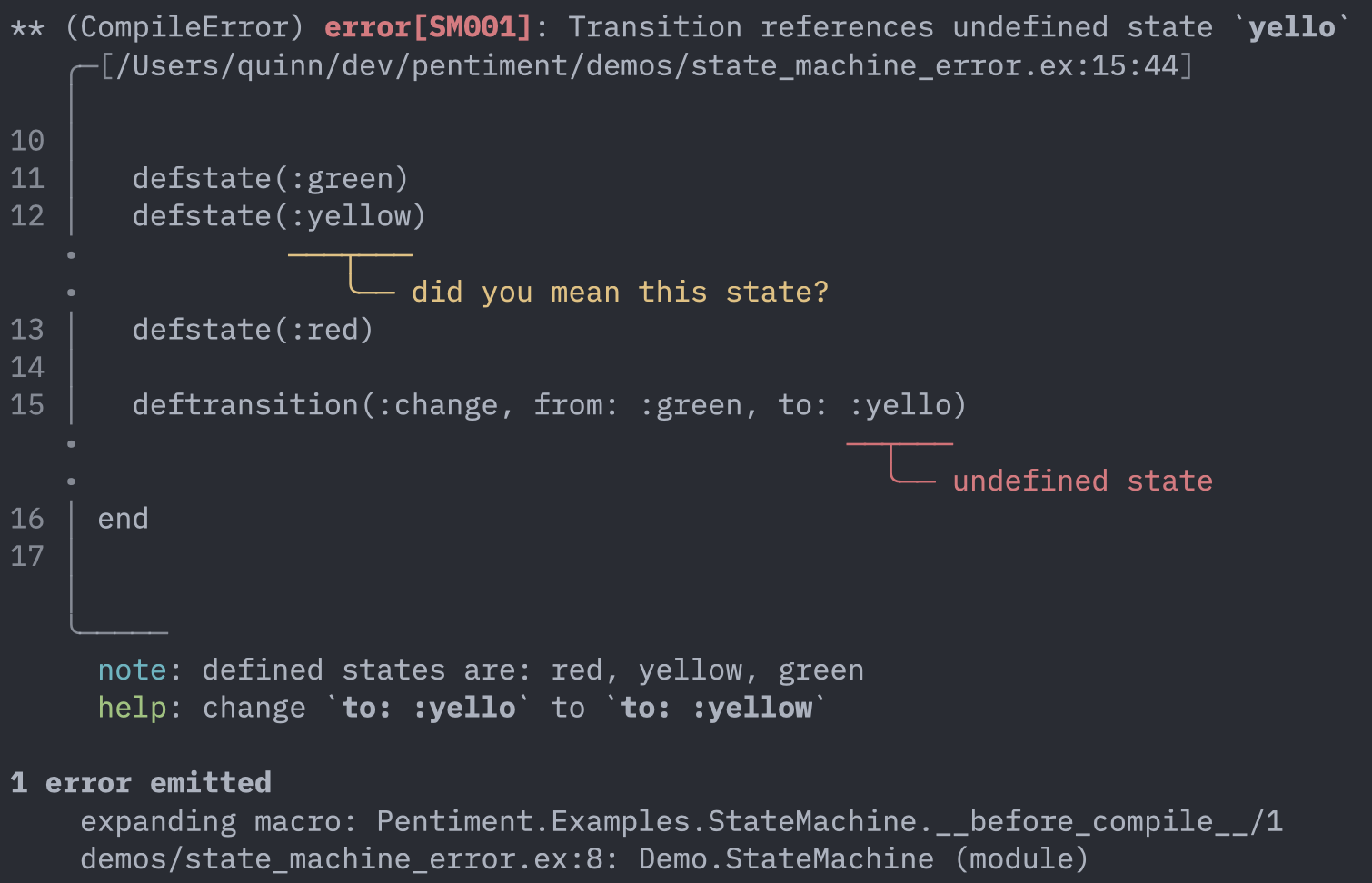
Running the Examples
The examples are available in test/support/examples/ and tested in
test/examples/. To run the example tests:
mix test test/examples/
Examples requiring optional dependencies (nimble_parsec, yamerl) are automatically skipped if the dependencies aren't available.