QRCode v2.1.0 QRCode.Svg View Source
SVG structure and helper functions.
Link to this section Summary
Functions
Create Svg structure from QR matrix as binary. This binary contains svg attributes and svg elements.
Saves QR code to svg file. This function returns Result,
it means either tuple of {:ok, "path/to/file.svg"} or {:error, reason}.
Create Svg structure from QR matrix as binary and encode it into a base 64. This encoded string can be then used in Html as
Link to this section Types
Link to this section Functions
create(qr, settings \\ %SvgSettings{})
View Source
create(QRCode.QR.t(), QRCode.SvgSettings.t()) :: binary()
create(QRCode.QR.t(), QRCode.SvgSettings.t()) :: binary()
Create Svg structure from QR matrix as binary. This binary contains svg attributes and svg elements.
save_as(qr, svg_name, settings \\ %SvgSettings{})
View Source
save_as(QRCode.QR.t(), Path.t(), QRCode.SvgSettings.t()) ::
  Result.t(String.t() | File.posix() | :badarg | :terminated, Path.t())
save_as(QRCode.QR.t(), Path.t(), QRCode.SvgSettings.t()) :: Result.t(String.t() | File.posix() | :badarg | :terminated, Path.t())
Saves QR code to svg file. This function returns Result,
it means either tuple of {:ok, "path/to/file.svg"} or {:error, reason}.
Also there are a few settings for svg:
      | Setting          | Type                | Default value | Description             |
      |------------------|---------------------|---------------|-------------------------|
      | scale            | positive integer    | 10            | scale for svg QR code   |
      | background_color | string or {r, g, b} | "#ffffff"     | background color of svg |
      | qrcode_color     | string or {r, g, b} | "#000000"     | color of QR code        |
      | format           | :none or :indent    | :none         | indentation of elements |
By this option, you can set the background of QR code, QR code colors or size QR code. The format option is for removing indentation (of elements) in a svg file. Let's see an example below:
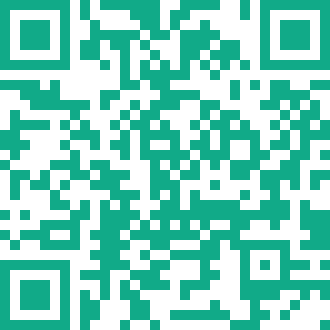
iex> settings = %QRCode.SvgSettings{qrcode_color: {17, 170, 136}}
iex> qr = QRCode.QR.create("your_string")
iex> qr |> Result.and_then(&QRCode.Svg.save_as(&1,"/tmp/your_name.svg", settings))
{:ok, "/tmp/your_name.svg"}
The svg file will be saved into your tmp directory.
to_base64(qr, settings \\ %SvgSettings{})
View Source
to_base64(QRCode.QR.t(), QRCode.SvgSettings.t()) :: binary()
to_base64(QRCode.QR.t(), QRCode.SvgSettings.t()) :: binary()
Create Svg structure from QR matrix as binary and encode it into a base 64. This encoded string can be then used in Html as
<img src="data:image/svg+xml; base64, encoded_svg_qr_code" />