This guide walks through Text.WordCloud from "give me a list of weighted terms" all the way through to a full SVG render. Every example uses the same corpus — a tribute paragraph stitched together from short Hitchhiker's Guide to the Galaxy phrases plus connecting prose — so you can see at a glance what each option actually does.
The corpus deliberately has strong recurring entities (Earth, Vogon, Arthur, towel, babel fish, hyperspace bypass, …) so the different scoring algorithms have something to disagree about.
Don't panic. The defaults are designed to be reasonable: pass any text, get back a sensible weighted-term list. Reach for the options below when you want to tune the result.
Quick start
text = """
The Hitchhiker's Guide to the Galaxy is a wholly remarkable book.
... (the full HHGTTG-themed corpus — see priv/scripts/gen_word_cloud_examples.exs)
"""

terms = Text.WordCloud.terms(text, language: :en)
#=> [
#=>   %{term: "earth", weight: 1.0, count: 6, kind: :word},
#=>   %{term: "demolished", weight: 0.71, count: 4, kind: :word},
#=>   %{term: "vogons", weight: 0.55, count: 2, kind: :word},
#=>   ...
#=> ]
Text.WordCloud.terms/2 returns weighted maps. Layout (positions and rotations) and rendering (SVG) are separate steps:
placements = Text.WordCloud.Layout.layout(terms, width: 1000, height: 600)
svg = Text.WordCloud.SVG.render(placements, width: 1000, height: 600)
File.write!("cloud.svg", svg)
The default render of our HHGTTG corpus, with no options tuned:
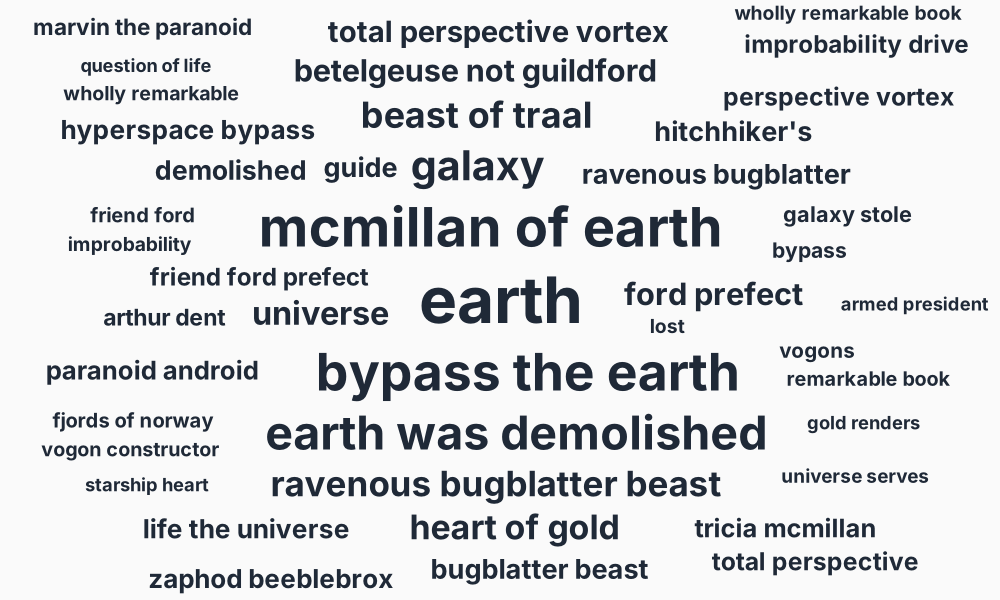
That's the YAKE! scoring algorithm, single-colour fill, all words horizontal — what you get from the bare terms → layout → render pipeline.
Scoring algorithms
The :scoring option picks how each candidate term gets its weight. The same input text produces visibly different clouds depending on which one you pick.
:yake (default)
YAKE! (Campos et al. 2020) is unsupervised, statistical, multilingual by construction, and needs no reference corpus. It rewards terms that are frequent, distinctive, and dispersed across the document while penalising stopword-like context. This is the right default 90% of the time.
The default render above (basic.svg) uses YAKE!. Top results: earth and demolished (the central plot point), with hyperspace bypass, vogons, and arthur close behind.
:frequency
Plain stopword-filtered counts. The simplest possible "what shows up most" view. Useful as a sanity check; rarely the most informative for word-cloud purposes because high-frequency words aren't always the interesting ones.
Text.WordCloud.terms(text, scoring: :frequency, language: :en)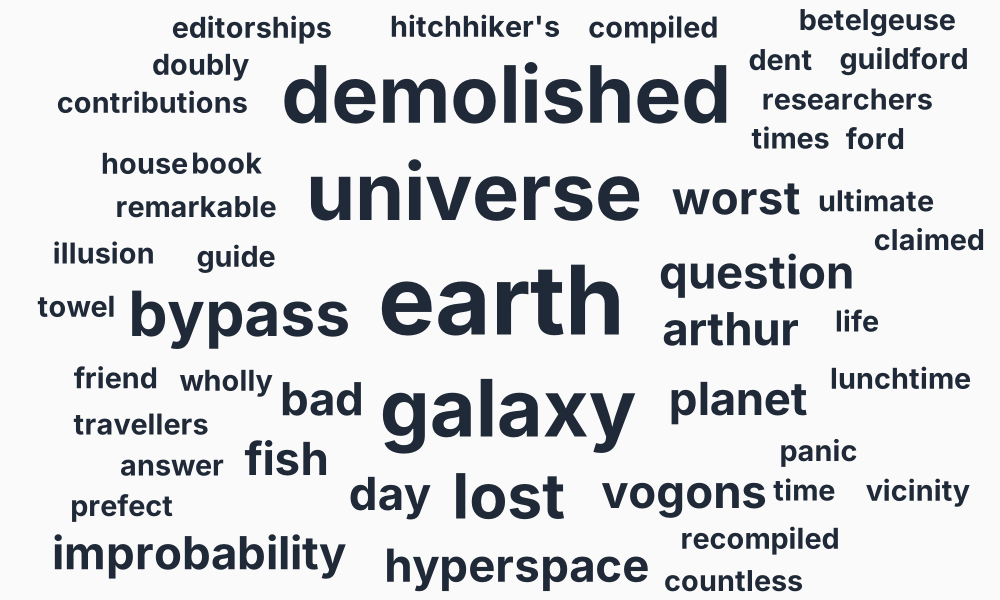
Notice how earth still dominates (it really is the most-mentioned noun in this corpus), but the longer-tail content words from YAKE — improbability, triplicate, slartibartfast — are absent because they only appear once each.
:rake
RAKE (Rapid Automatic Keyword Extraction, Rose et al. 2010) splits the text on stopwords and punctuation, then scores phrases by degree(word) / freq(word) summed over their members. It naturally surfaces multi-word phrases that hold together as a unit.
Text.WordCloud.terms(text, scoring: :rake, language: :en)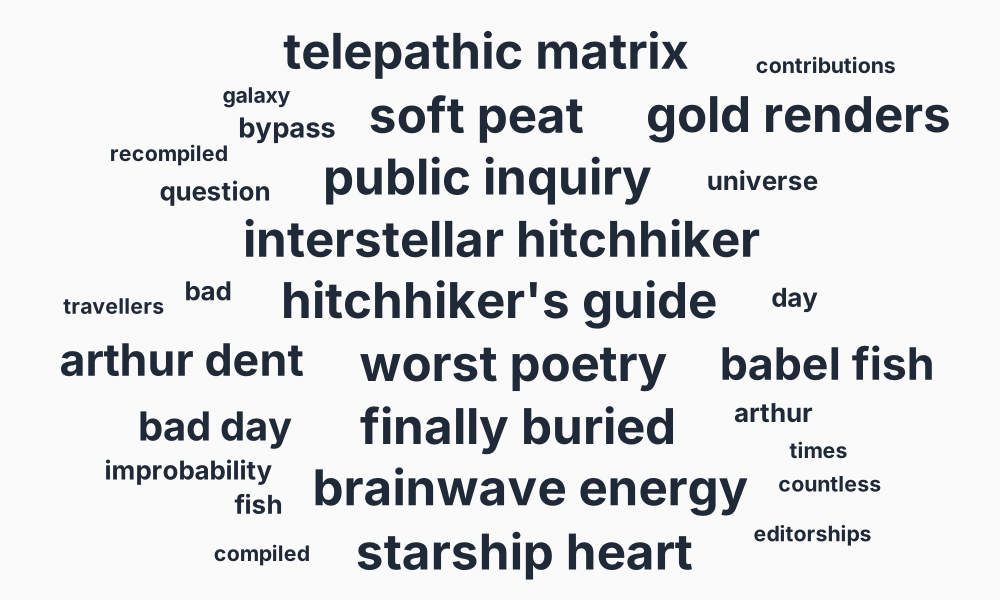
hitchhiker's guide, restaurant, paranoid android, bugblatter beast — RAKE is good at finding compound proper nouns. The trade-off: it tends to over-rank rare phrases composed of distinctive words, sometimes at the cost of important singletons.
:text_rank
TextRank (Mihalcea & Tarau 2004) builds a co-occurrence graph and runs weighted PageRank over it. The resulting scores reward words that appear in many different contexts. Phrases come from gluing adjacent top-scoring tokens.
Text.WordCloud.terms(text, scoring: :text_rank, language: :en)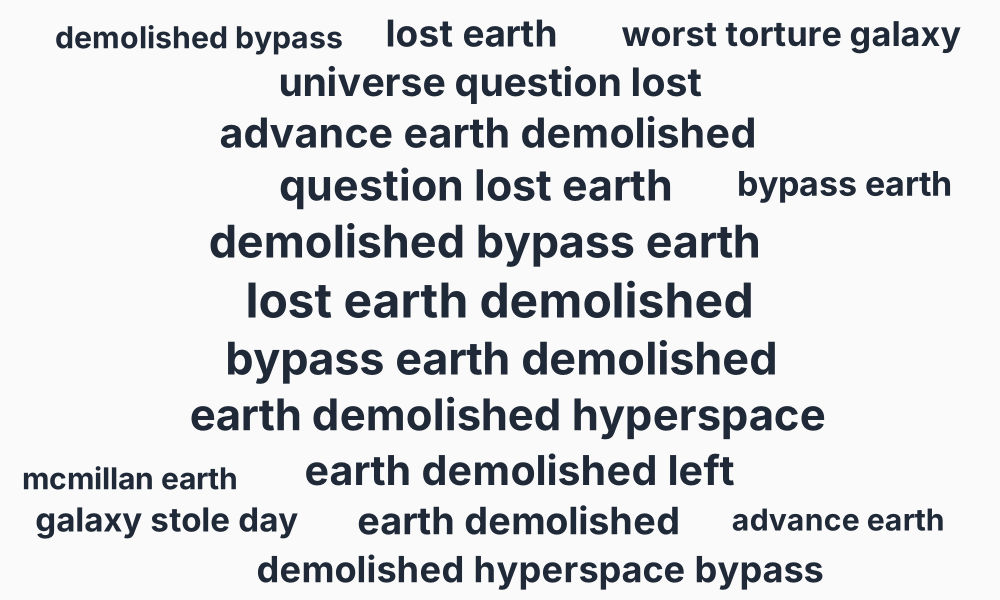
TextRank's strong bias toward long phrases in dense topical text means fewer terms fit on the canvas — you see fewer, larger phrases. For a more traditional word cloud, pair :text_rank with ngram_range: {1, 1}.
:tf_idf
TF-IDF surfaces what's distinctive about this document compared to a reference corpus. It needs you to provide that corpus via :reference_corpus:
Text.WordCloud.terms(text,
  scoring: :tf_idf,
  language: :en,
  reference_corpus: list_of_other_documents
)
Without a reference corpus, TF-IDF degenerates to a frequency cloud and emits a warning. Use this when you have a corpus of "background" docs you want to score against — e.g. all the chapters of a book where you want one chapter to stand out.
:key_bert
The neural option, gated behind the optional :bumblebee dependency. Uses a multilingual sentence-transformer (paraphrase-multilingual-MiniLM-L12-v2, ~470 MB) to embed the document and each candidate phrase, then ranks by cosine similarity. Highest quality, slowest to start. See Text.WordCloud.Backends.KeyBERT for setup.
Filtering candidate terms
:max_terms
Cap on the returned list. Default 100. Layout will further drop terms that don't fit the canvas, so the rendered count is usually lower.
:min_count
Drop terms occurring fewer times than this. Default 1. Raise to 2 or 3 for noisy long-form text where one-off proper nouns are a distraction.
:ngram_range
{min, max} token length for candidate terms. The defaults are scoring-aware: {1, 1} for :frequency and :tf_idf, {1, 3} for everything else.
Unigrams only:
Text.WordCloud.terms(text, language: :en, ngram_range: {1, 1})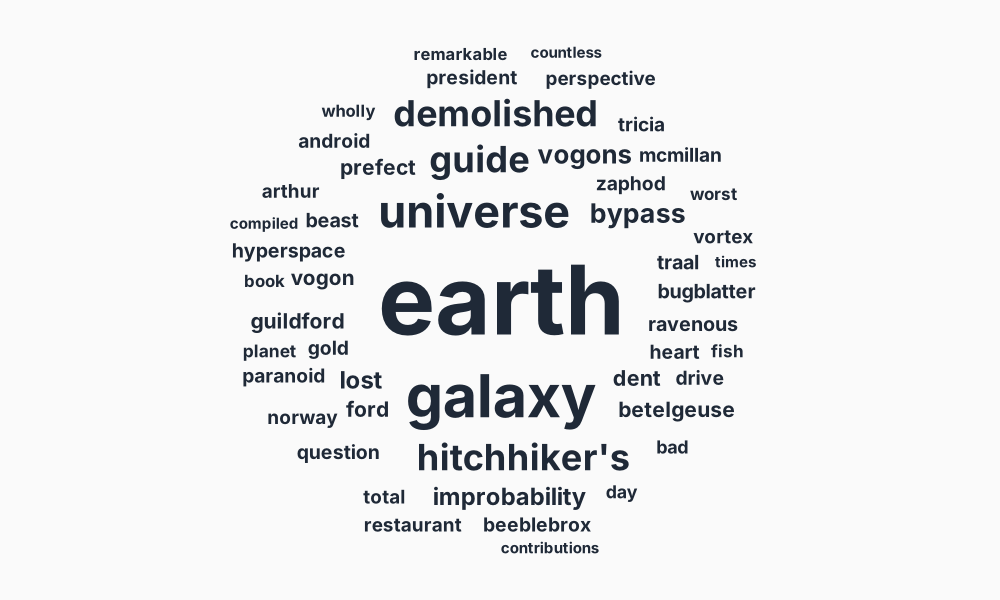
Phrases only (bigrams + trigrams):
Text.WordCloud.terms(text, language: :en, ngram_range: {2, 3}, min_count: 1)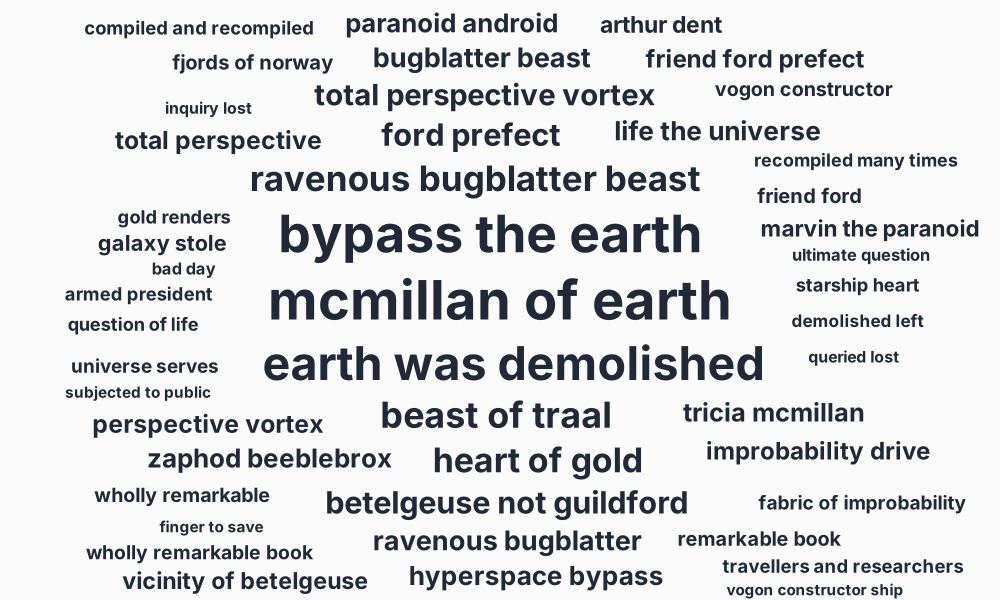
The phrases-only view emphasises compound entities — hyperspace bypass, paranoid android, babel fish, heart of gold, pan-dimensional hyperintelligent beings — which often carry more cultural weight than their constituent unigrams.
:include
Same idea as :ngram_range, but applied as a post-filter on the candidate stream. :all (default) keeps everything; :words keeps only unigrams; :phrases keeps only n>1 results.
The difference matters when you want, say, "give me YAKE!'s top 20 candidates of any length, but only show me the phrases" — that's include: :phrases paired with the default ngram_range. With ngram_range: {2, 3} you'd get YAKE-ranking-among-phrases-only, which can produce a different ordering.
Stopwords
Stopwords are filtered before scoring. The :language option drives the bundled list (Text.Stopwords.for/1):
Text.WordCloud.terms(text, language: :en)            # uses bundled English list
Text.WordCloud.terms(text, language: :fr)            # bundled French list
Override the default behaviour via :stopwords:
:auto(default) — bundled list for the resolved:language, or none if no list is available.:none— no filtering at all.- a list, MapSet, or
{:extend, [extras]}— explicit override.
What happens without stopword filtering:
Text.WordCloud.terms(text, scoring: :frequency, language: :en, stopwords: :none)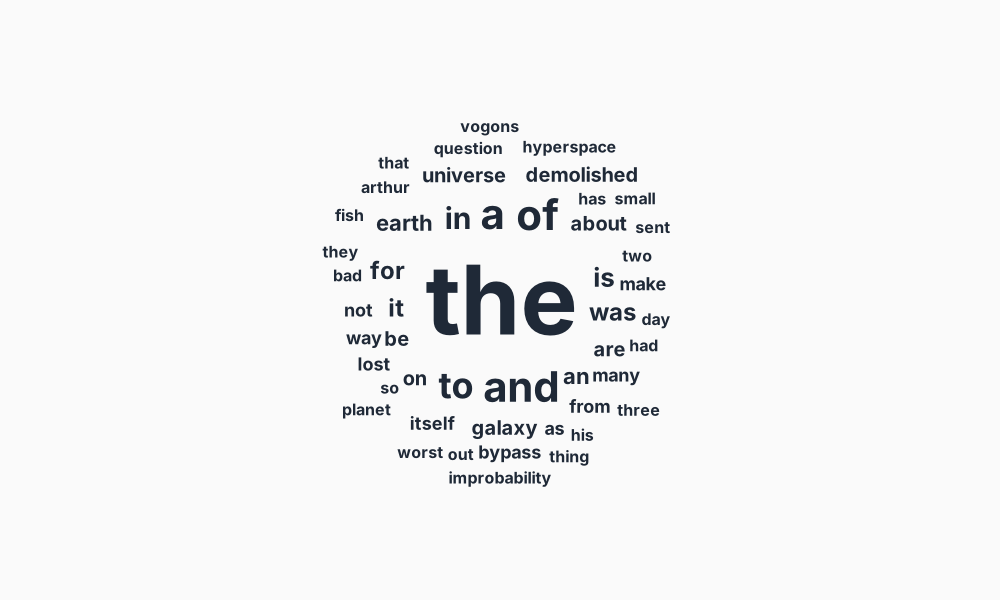
the, to, of, a swamp the cloud — exactly why stopwords are filtered by default.
The same corpus with the bundled English list active:
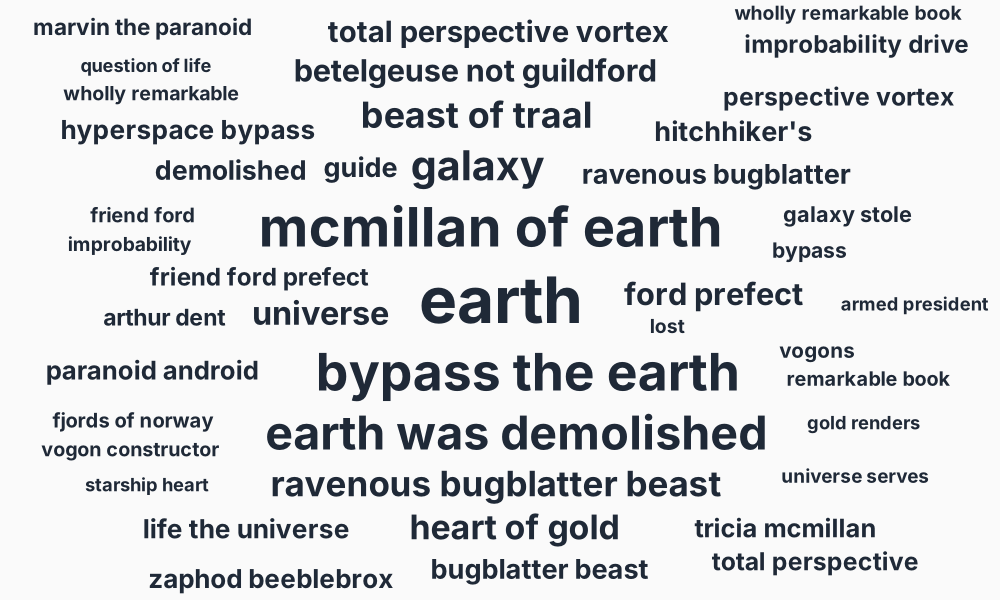
Text.Stopwords ships ~60 languages from stopwords-iso. Use Text.Stopwords.available_languages/0 to enumerate, and extend/2 to layer in domain-specific words you want filtered (boilerplate, brand names, navigation chrome).
:case_fold
Default true. When on, terms are lowercased before counting and rendering, so Vogon and vogon collapse to one bucket. Set to false to preserve case — useful when proper nouns matter (e.g. distinguishing apple the fruit from Apple the company).
:stem
Default false. When true, candidate terms are bucketed by their Snowball stem, so morphological variants collapse into a single entry. Without it, the HHGTTG corpus's demolish / demolished / demolishing cluster shows up as four small entries:
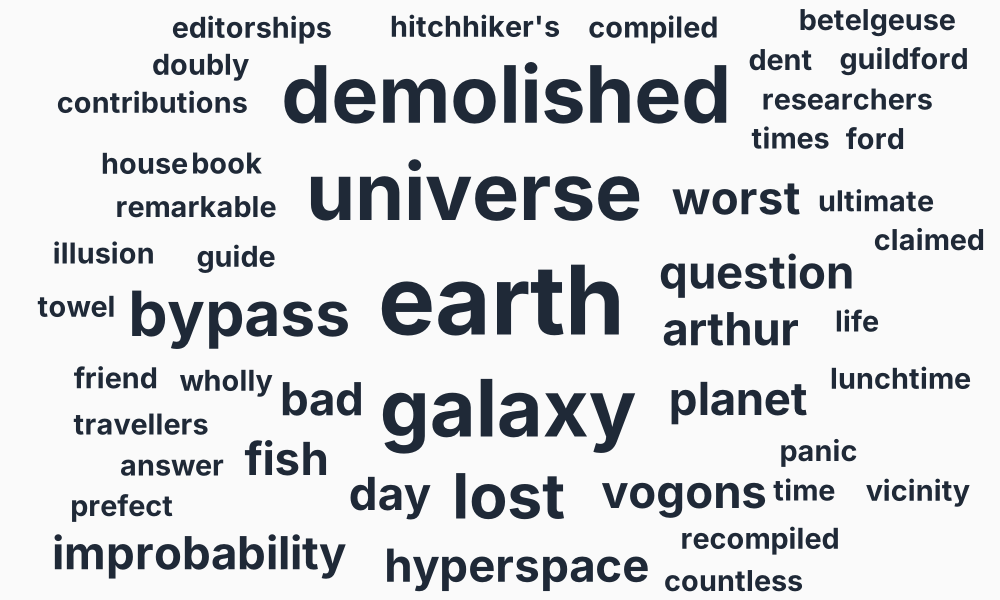
With stem: true, those variants consolidate. The bucket is labelled with the most-frequent surface form, and the count and raw score are summed across members:
Text.WordCloud.terms(text, scoring: :frequency, language: :en, stem: true)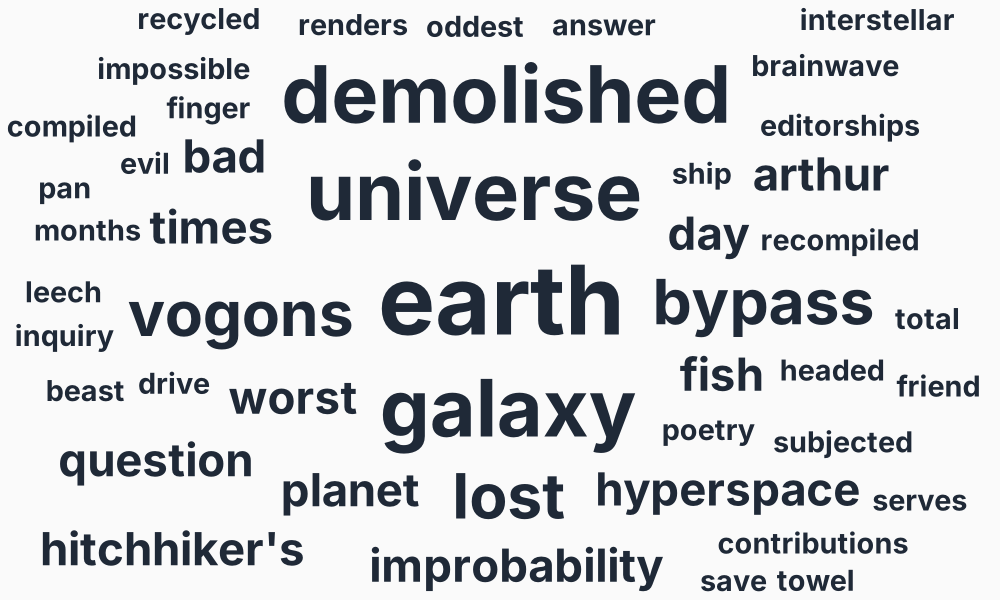
demolished jumps up the rankings because the underlying concept now has 7 evidence points instead of being split four ways. Other recurring topics like model / models and learn / learning consolidate similarly.
When to use it. Stemming is most valuable for long-form prose in inflected languages (English, German, Romance, Slavic, Finnish, Turkish, Arabic — Snowball covers ~30). It's mostly off-by-default because:
- Short conversational text rarely has enough morphological variation to benefit.
- Proper nouns can occasionally get mangled (
Vogonsis fine but coverage isn't perfect). - CJK languages don't have inflection in the morphological sense.
:stem requires the optional :text_stemmer dependency. Without it, passing stem: true raises with installation instructions.
The bucketing language defaults to the resolved :language. Override with :stem_language for mixed-language corpora where you want only one language consolidated:
Text.WordCloud.terms(text,
  scoring: :frequency,
  language: :en,
  stem: true,
  stem_language: :en  # only English variants — leave other languages alone
)
A subtle but important point: Snowball is a morphological stemmer, not a semantic one. It will collapse demolish / demolished / demolishing (same morphological pattern) but not consolidate demolish with demolition (different derivation — verb vs derived noun). That's correct linguistic behaviour, even though both relate to the same concept.
Layout
Text.WordCloud.Layout.layout/2 takes weighted terms and returns positioned, sized, rotated placements ready for any rendering surface. The interesting options are :rotations, :font_size_range, and :padding.
Rotations
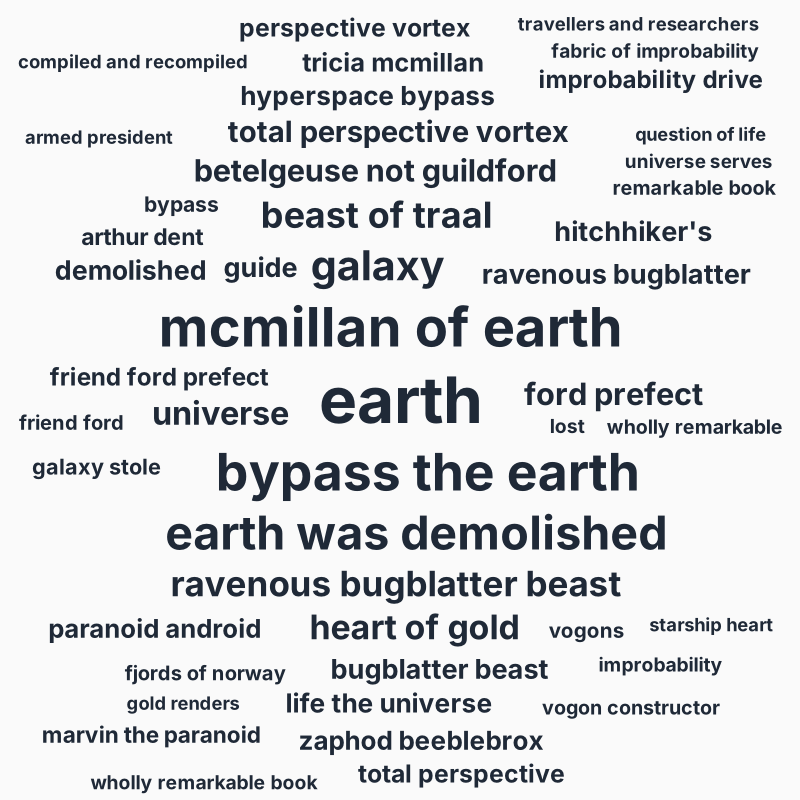
By default every word is horizontal. Pass a list of angles (degrees) to mix in rotation, or use one of the special atoms :radial and :spiral.
Default — all horizontal:
Mixed list [-30, 0, 30]:
Text.WordCloud.Layout.layout(terms, rotations: [-30, 0, 30])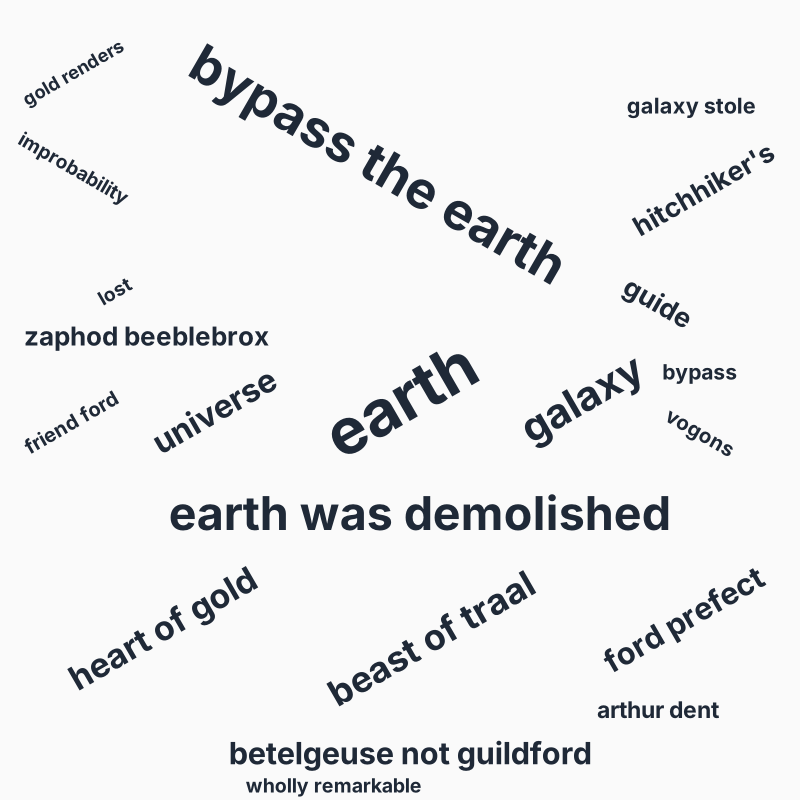
The angle is hashed from each term so the choice is deterministic across runs.
:radial — sunburst:
Text.WordCloud.Layout.layout(terms, rotations: :radial)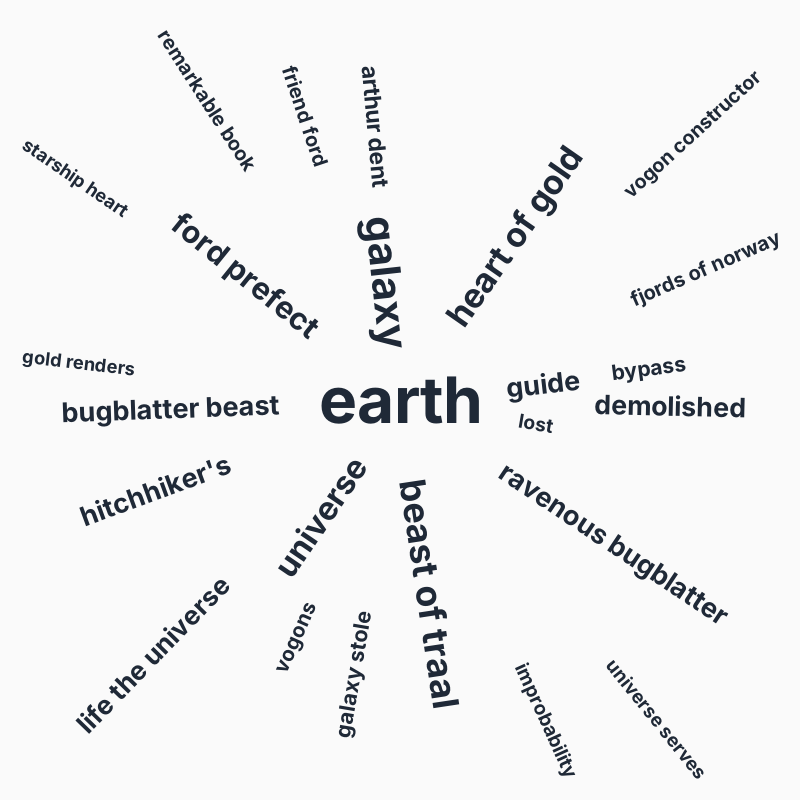
Each word is oriented along the line from canvas centre to its placement, like spokes of a wheel. Distinctive look, but space-greedy: the "long" axis of every word points outward, so collisions force later terms way out and the canvas fits fewer total words.
:spiral — vortex:
Text.WordCloud.Layout.layout(terms, rotations: :spiral)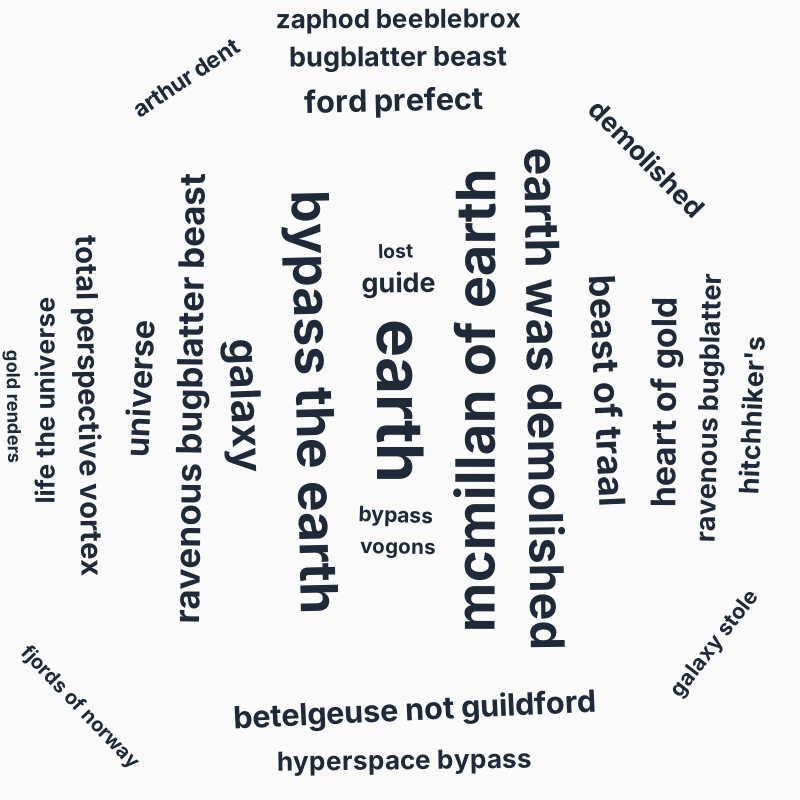
Words sit tangent to the radial spoke (90° offset from :radial), so they flow around concentric arcs. Packs much more efficiently than :radial — typically 1.5×–2× the term count fits.
Both :radial and :spiral clamp final rotations to [-90°, 90°] so words always read left-to-right rather than upside-down.
:font_size_range
{min_px, max_px} mapping for the weight-to-font-size linear interpolation. The top-weighted term (weight: 1.0) gets max_px; weight 0.0 gets min_px. Default {12, 96}. Lower the max for dense corpora; raise the min if small terms become illegible.
:padding
Pixels of empty space added to every bounding box for collision testing. Default 2. Raise to 4–8 for an airier layout, drop to 0 for tight packing (but expect occasional baseline-overlap visual artefacts).
:font_metrics
A (term, font_size) -> {width, height} callback. The default uses a coarse monospace approximation. For pixel-accurate layout — say, you're rendering with a specific webfont and want collisions to honour real glyph widths — pass a callback that consults your actual font metrics (via Cairo, FreeType, the browser's Canvas.measureText, …).
SVG rendering
Text.WordCloud.SVG.render/2 produces a self-contained SVG document. The two interesting axes are palette (where colours come from) and strategy (how each term picks one).

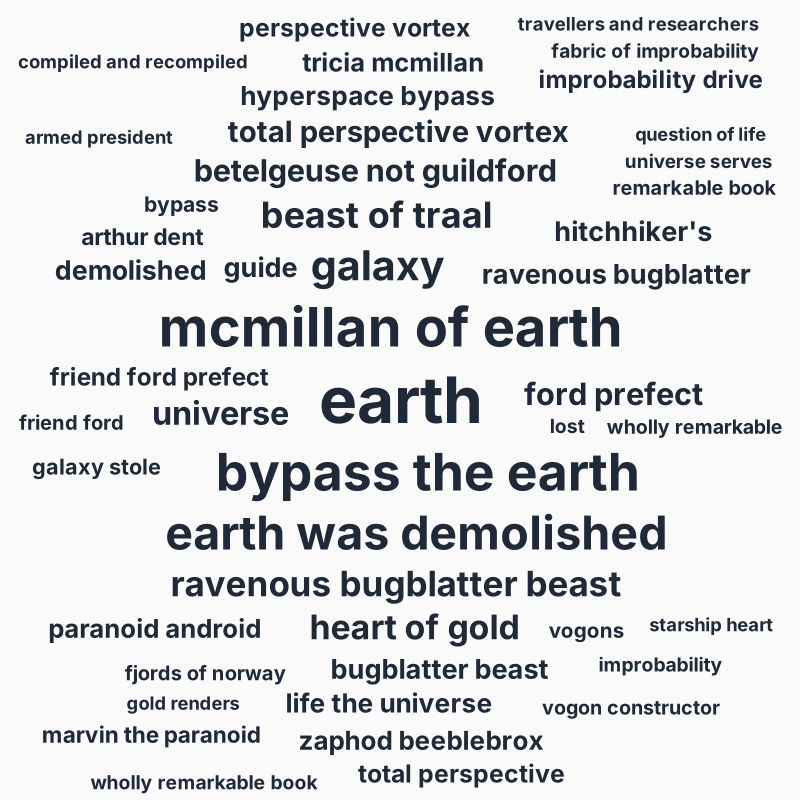
Palette: a single colour
The default. Every word renders in :fill (default "#1f2937"):
Palette: a list of hex colours
Text.WordCloud.SVG.render(placements,
  palette: ["#2563eb", "#dc2626", "#16a34a", "#9333ea", "#ea580c", "#0891b2"],
  color_strategy: :by_index
)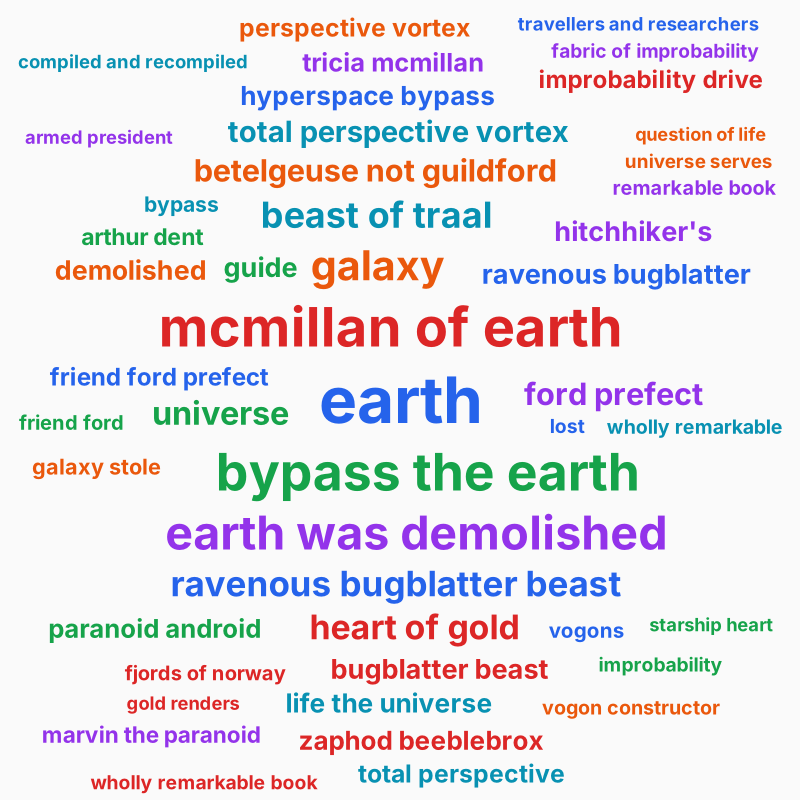
Hex strings always work, even without the optional :color dependency. Other colour inputs (CSS named colours, Color.SRGB structs) require :color.
Palette: a tonal scale
When :color is loaded, you can pass a Color.Palette.Tonal struct directly. Tonal scales (Tailwind / Radix / Material 3 style) give a coherent ramp of one hue — exactly what most word clouds want.
palette = Color.Palette.tonal("#3b82f6", name: "blue")
Text.WordCloud.SVG.render(placements, palette: palette)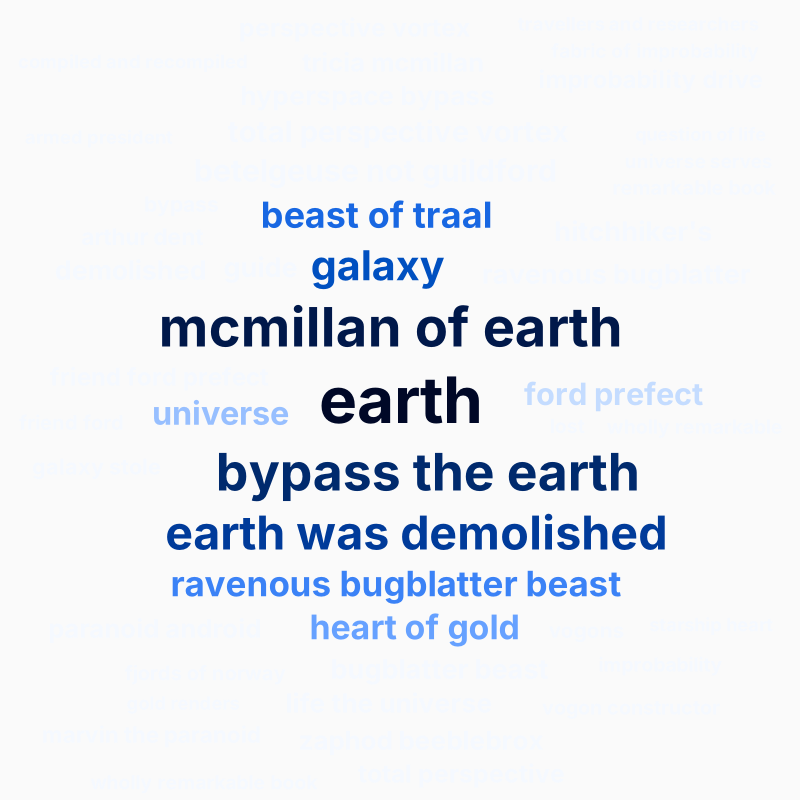
A warmer scale:
Color.Palette.tonal("#dc2626", name: "warm")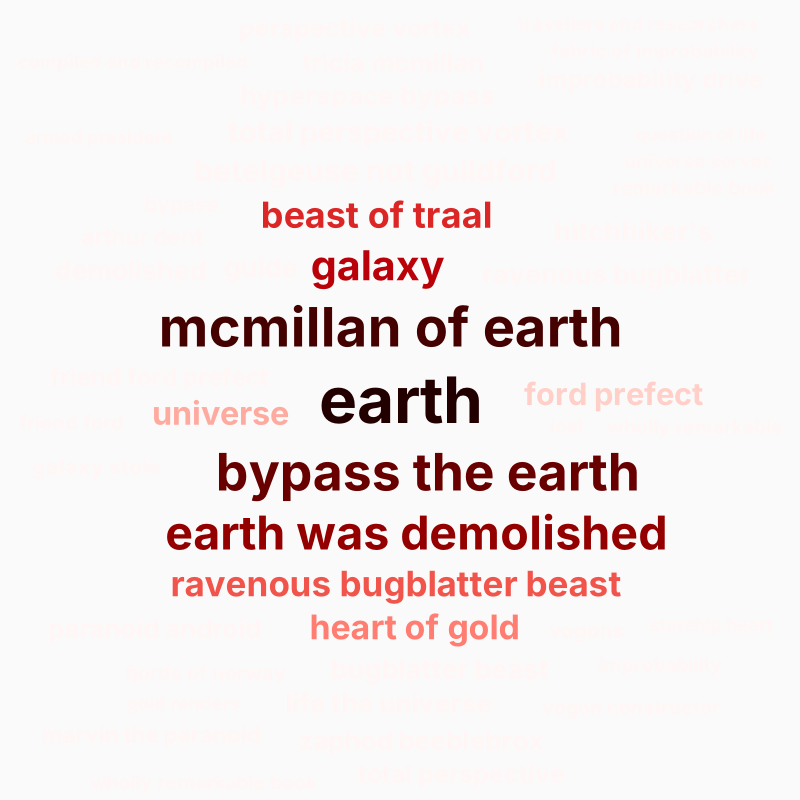
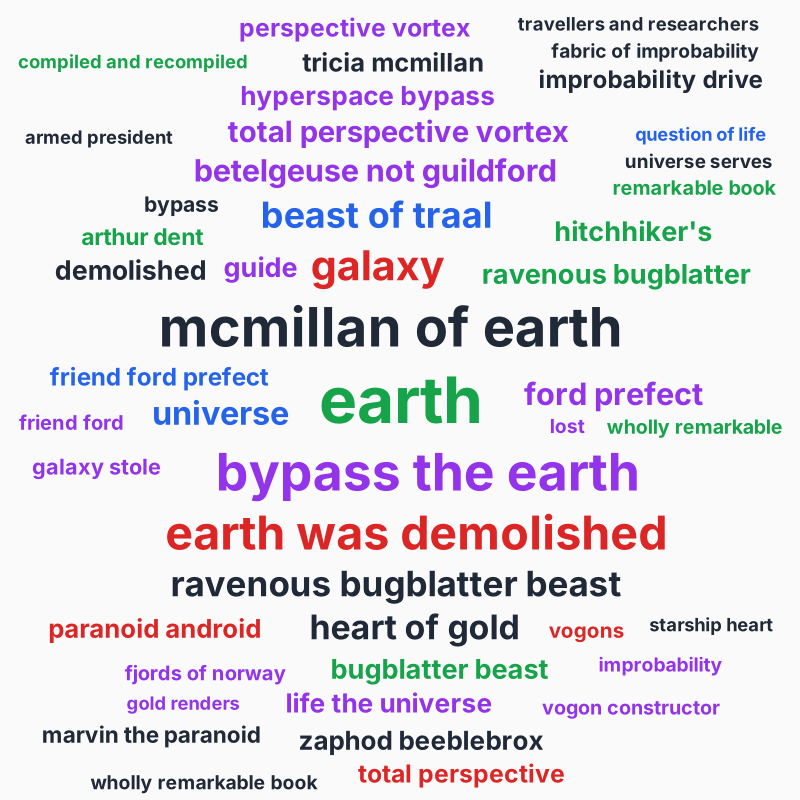
The default :by_weight strategy maps the top-weighted term to the darkest stop and ramps lighter from there, giving the cloud natural visual hierarchy.
Color.Palette.Theme structs (full Material 3 themes with five coordinated scales) are also supported — the renderer uses the theme's :primary scale.
Colour strategy
Three rules for picking a colour from the palette per term:
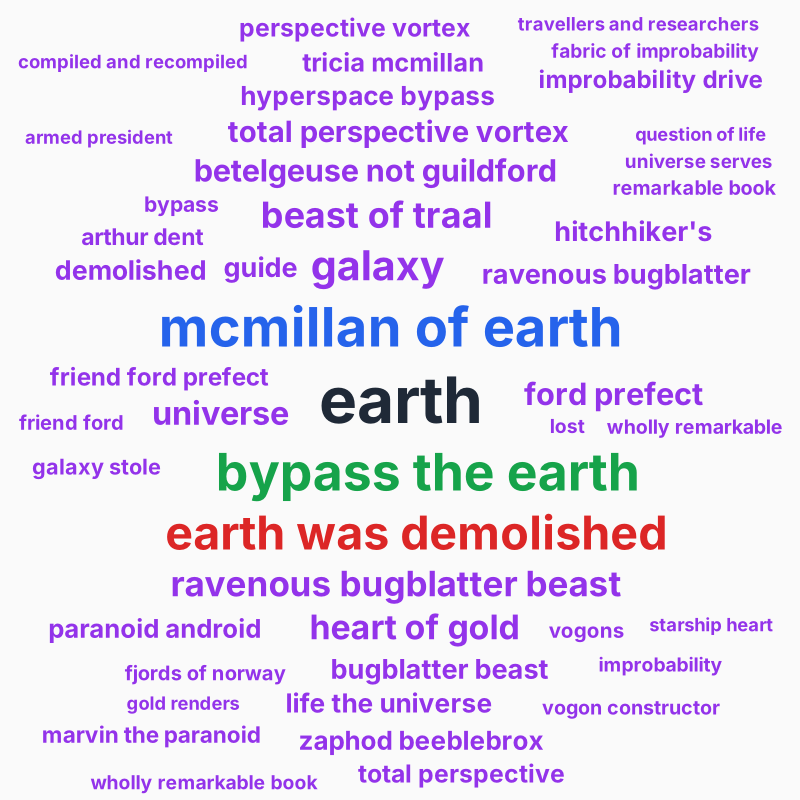
:by_weight (default) — sort terms by weight, walk the palette in order. Top weight gets the first palette entry.
Text.WordCloud.SVG.render(placements,
  palette: ["#1f2937", "#2563eb", "#16a34a", "#dc2626", "#9333ea"],
  color_strategy: :by_weight
)
:by_index — round-robin through the palette in placement order. Useful when you want every colour represented regardless of weight distribution.
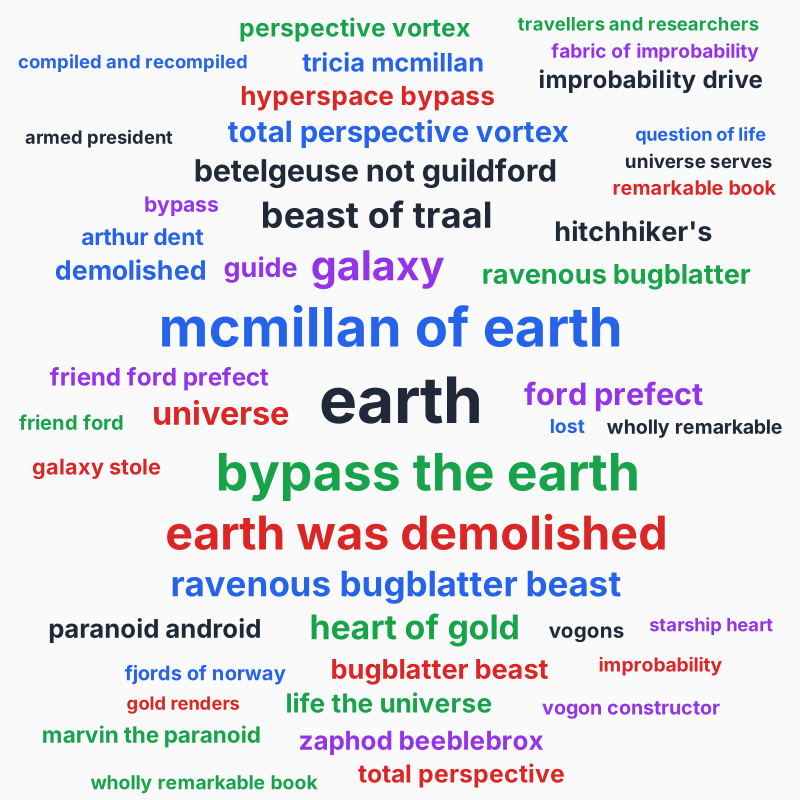
:by_hash — :erlang.phash2(term, palette_size). The same word always gets the same colour, regardless of context — handy when you want consistency across multiple clouds in a dashboard or animation.
Background
Text.WordCloud.SVG.render(placements, background: "#fafafa")nil (default) leaves the SVG transparent. Any colour input renders a full-canvas <rect> before the words — which is what every example in this guide does.
Font family and weight
Text.WordCloud.SVG.render(placements,
  font_family: "Helvetica Neue, Arial, sans-serif",
  font_weight: "700"
)
The defaults are "sans-serif" and "600". Note that SVG references the font by name — the rendered file does not embed the font binary. For a self-contained PNG export you'll typically want to pair :font_family with a :font_metrics callback at the layout step that consults metrics for the same font.
Putting it together
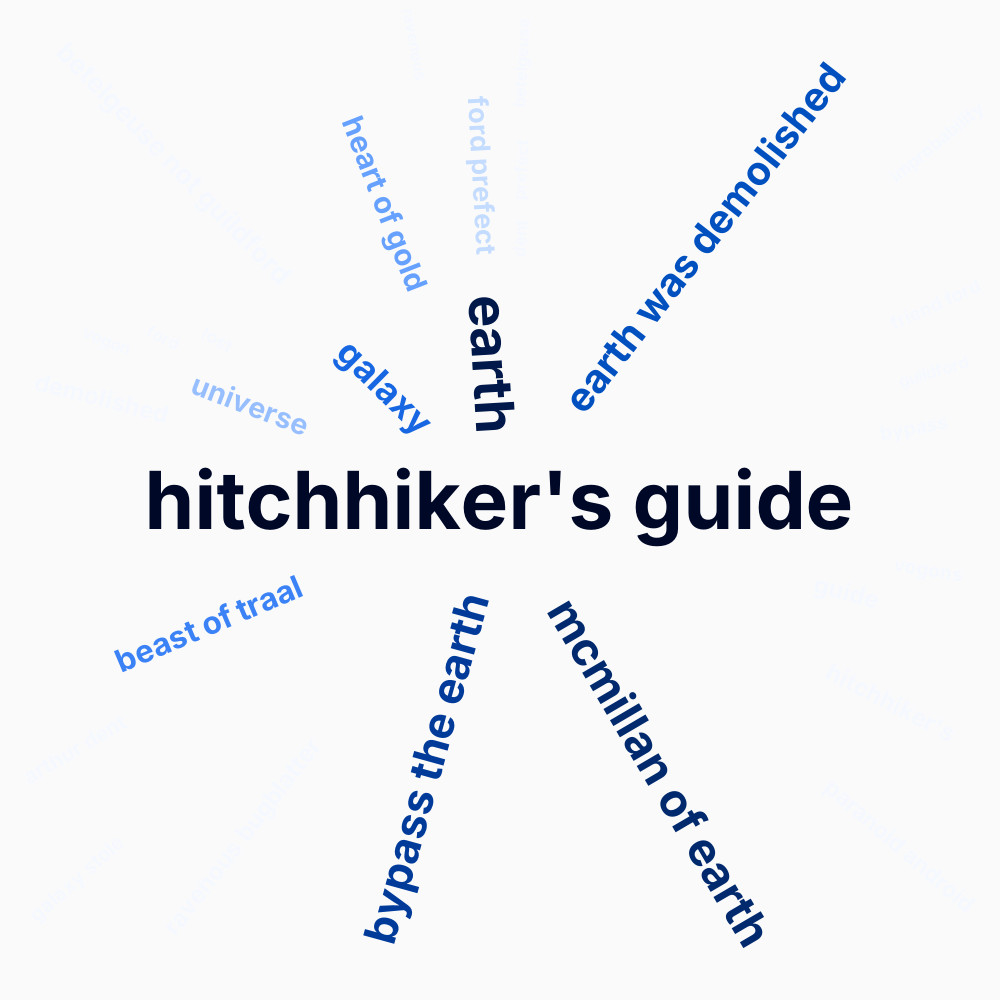
Putting :radial rotations, a tonal blue scale, generous padding, and a square 1000×1000 canvas together:
The full source for every example in this guide is in priv/scripts/gen_word_cloud_examples.exs. Re-run it any time the underlying algorithms or defaults shift to keep the rendered docs in sync:
mix run priv/scripts/gen_word_cloud_examples.exs
So long, and thanks for all the fish.