Tidewave Web includes a task board which can be used to share tasks across sessions:
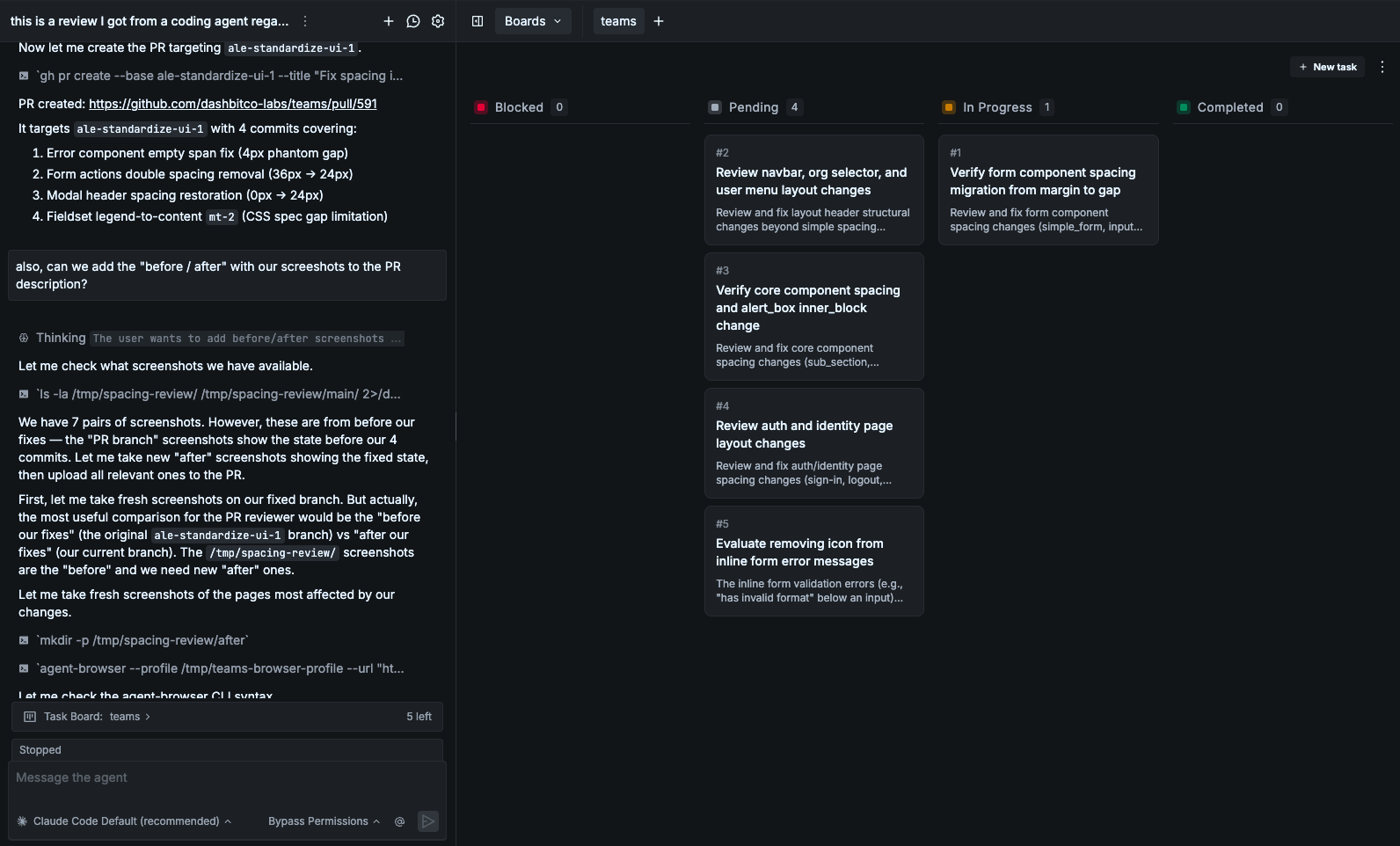
Task boards are useful when you want to break a larger effort into smaller pieces and track progress across multiple sessions. For example:
- Planning — describe a large goal and break it into tasks. You get a structured plan on the board that you can then delegate to different sessions.
- Parallel workstreams — you can use one session to create and manage tasks, while a separate session claims and completes tasks from the same board.
- Resuming later — close your session and come back the next day to continue right where you left off.
To use task boards, you must assign a board to a chat before you send the first message. When you assign a board to a chat, the "todo list" feature is replaced by task management tools that operate directly on the board.
You must also keep in mind the following limitations:
- When you assign a board to a chat, the chat knows it has some tasks attached to it, but it doesn't know the content or how many tasks. The first time you mention tasks, the agent will retrieve all necessary information (or you can explicitly ask it to do so)
- You cannot swap or remove the assigned task board after the session starts
- Task boards are currently available to Claude Code only, since all tasks and their state are managed directly by Claude Code
- Task boards are stored in disk, in your
~/.claude/tasksfolder