Aurora UIX Overview
Welcome to Aurora UIX — a low-code, metadata-driven UI framework for Elixir's Phoenix ecosystem.
Aurora UIX helps you rapidly generate complete CRUD user interfaces with minimal boilerplate code. By leveraging declarative resource metadata and a powerful layout DSL, you can build feature-rich, maintainable UIs with compile-time code generation and automatic LiveView integration.
Core Architecture
Aurora UIX is built on three interconnected components:
1. Resource Metadata
Define UI configuration declaratively using the auix_resource_metadata/3 macro. Specify field-level options, validation rules, labels, and association handling all in one place.
auix_resource_metadata :product, context: Inventory, schema: Product do
  field :name, placeholder: "Product name", required: true
  field :price, precision: 12, scale: 2
end
2. Layout DSL
Compose complex, nested layouts for index, show, and edit views using a flexible declarative syntax. Combine layout elements like inline, stacked, and sections to organize your UI.
show_layout :product do
  stacked do
    inline [:name, :price]
    sections do
      section "Details" do
        stacked [:description, :category]
      end
    end
  end
end
3. Compile-Time Code Generation
Aurora UIX generates optimized LiveView modules and HEEx templates at compile time, not runtime. This ensures fast performance, type safety, and maintainable code.
Key Features
- Declarative Configuration - Define resources and layouts as Elixir code, no templates to manage
- Automatic CRUD UIs - Generate complete Create, Read, Update, Delete interfaces automatically
- Association Support - Built-in handling for
belongs_to,has_many,embeds_one, andembeds_many - Responsive Design - Layouts work seamlessly on desktop and mobile devices
- Customizable Themes - Includes light and dark themes, fully customizable or replaceable
- Extensible - Override templates, create custom renderers, integrate custom components
- i18n Support - Built-in internationalization via configurable Gettext backend
- Minimal Overhead - Compile-time generation means fast runtime performance
Complete Example
Here's a example showing Resource Metadata and Layout DSL working together to create a complete inventory management interface:
defmodule MyAppWeb.InventoryViews do
  use Aurora.Uix

  alias MyApp.Inventory
  alias MyApp.Inventory.{Product, ProductLocation, ProductTransaction}

  # Define UI metadata for each resource
  auix_resource_metadata(:product_location, context: Inventory, schema: ProductLocation)

  auix_resource_metadata(:product_transaction, context: Inventory, schema: ProductTransaction)

  auix_resource_metadata(:product, context: Inventory, schema: Product) do
    field :name, placeholder: "Product name", required: true
    field :price, precision: 12, scale: 2
  end

  # Define layouts for each view
  auix_create_ui do
    # Index view configuration
    index_columns :product, [:reference, :name, :price, :quantity_at_hand],
      pagination_items_per_page: 15

    # Show view configuration
    show_layout :product do
      stacked do
        inline [:reference, :name]
        inline [:description]
        inline [:price, :quantity_at_hand]
        inline [:product_location, :product_transactions]
      end
    end

    # Edit view configuration with organized sections
    edit_layout :product do
      stacked do
        inline [:reference]
        sections do
          section "Basic Information" do
            stacked [:name, :description]
          end
          section "Pricing" do
            stacked [:price, :cost]
          end
          section "Inventory" do
            stacked [:quantity_initial, :quantity_entries]
          end
        end
        inline [:product_location_id]
      end
    end
  end
endResult: A complete product management interface with:
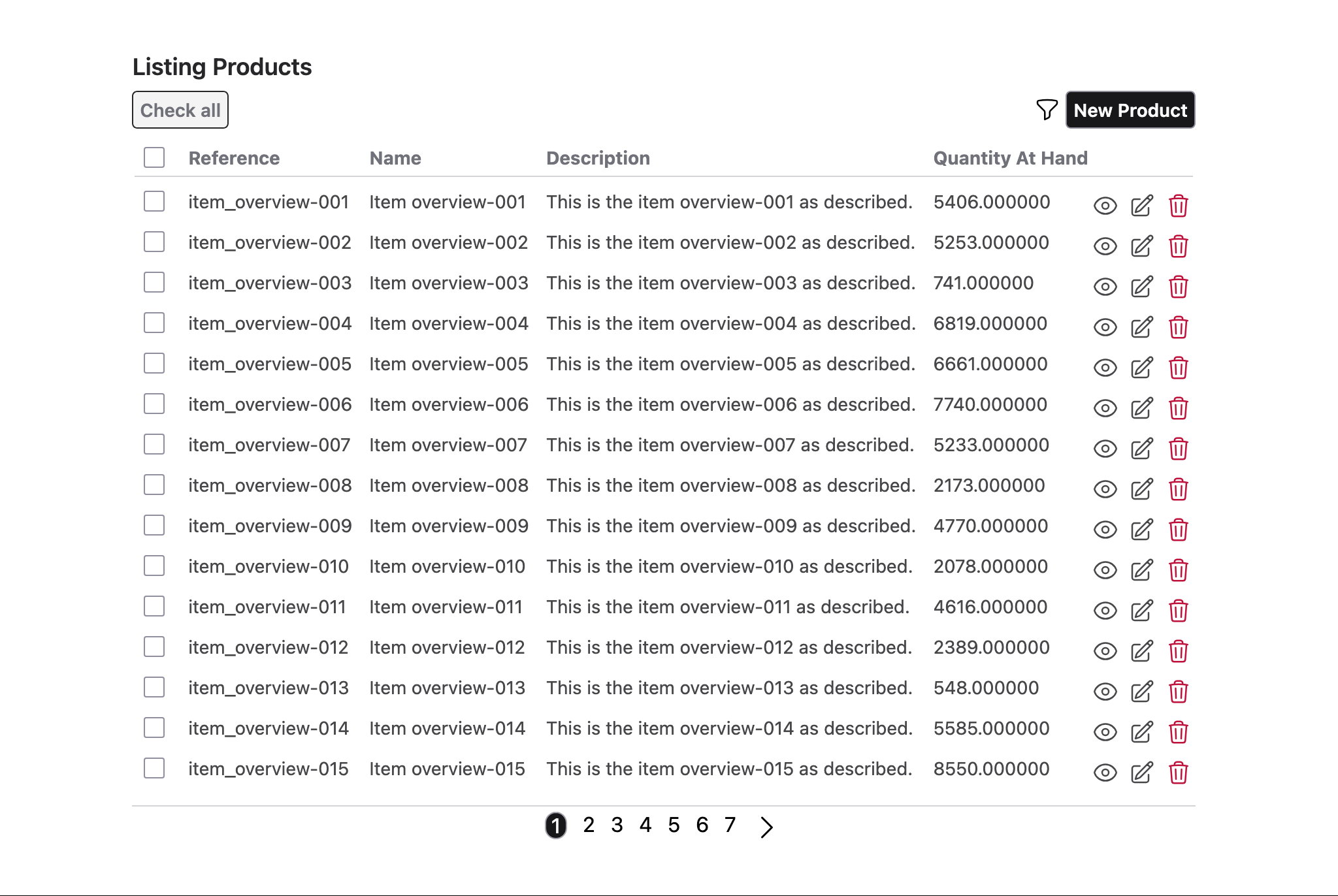
- ✅ Responsive list view with pagination
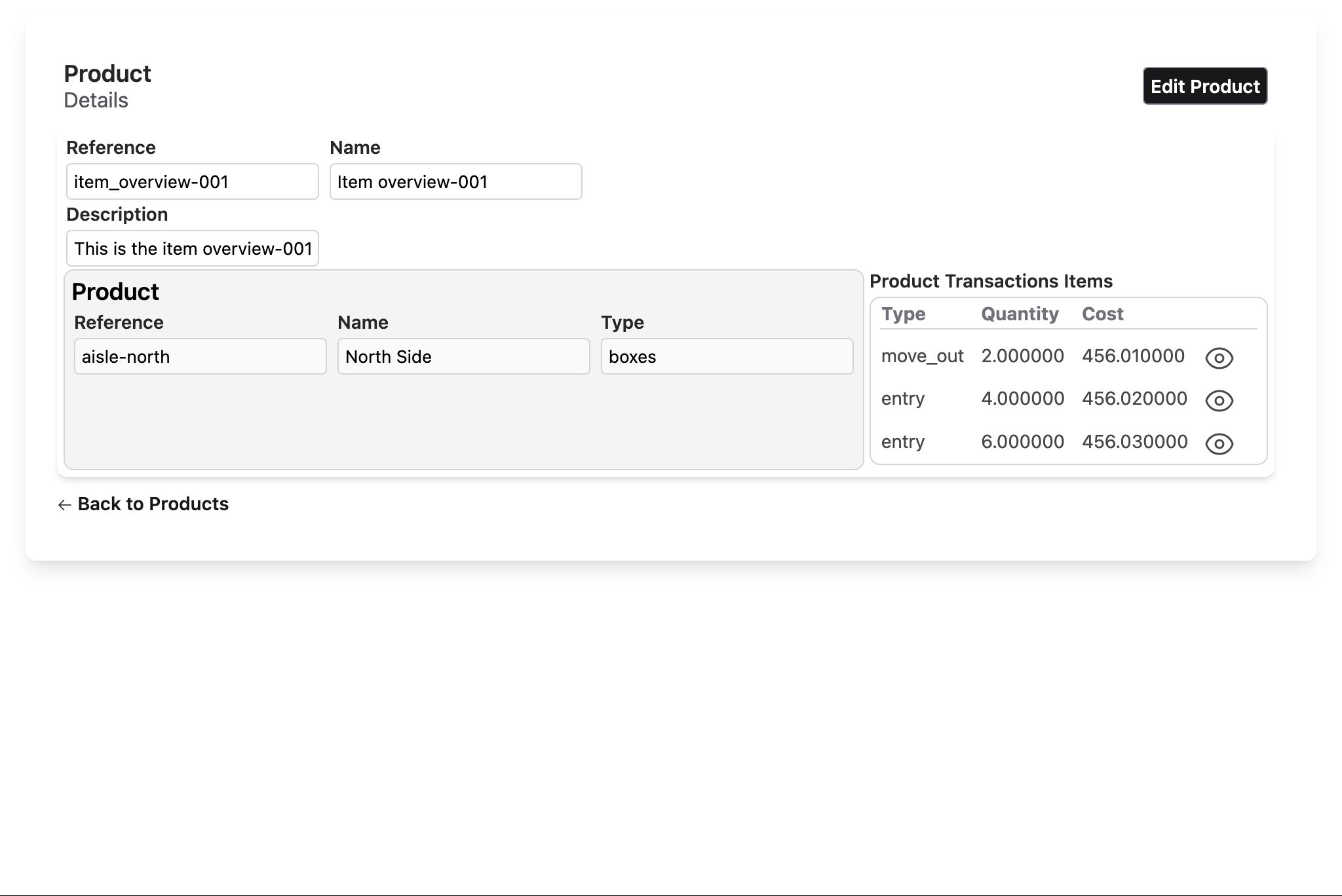
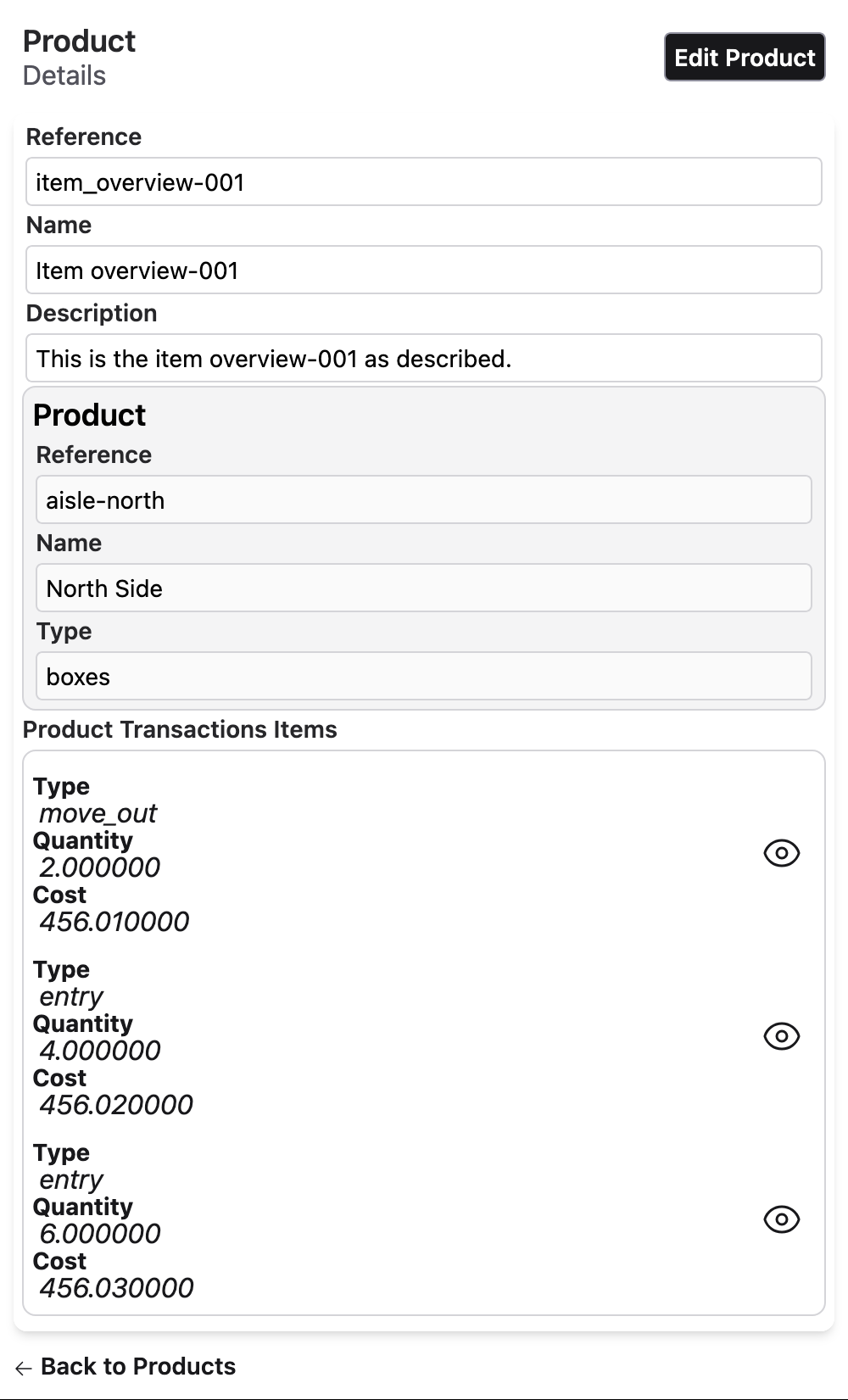
- ✅ Detailed product view with organized sections
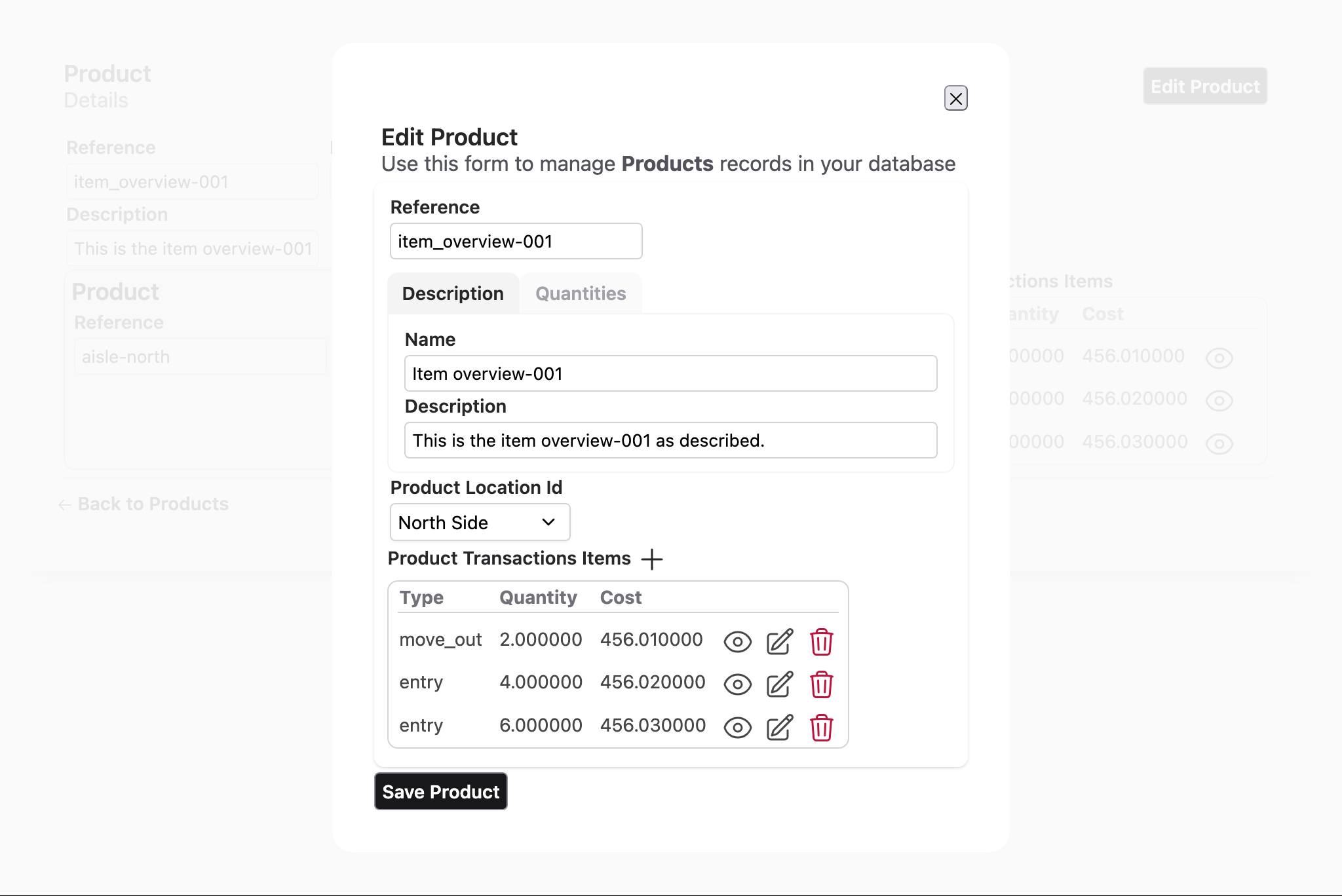
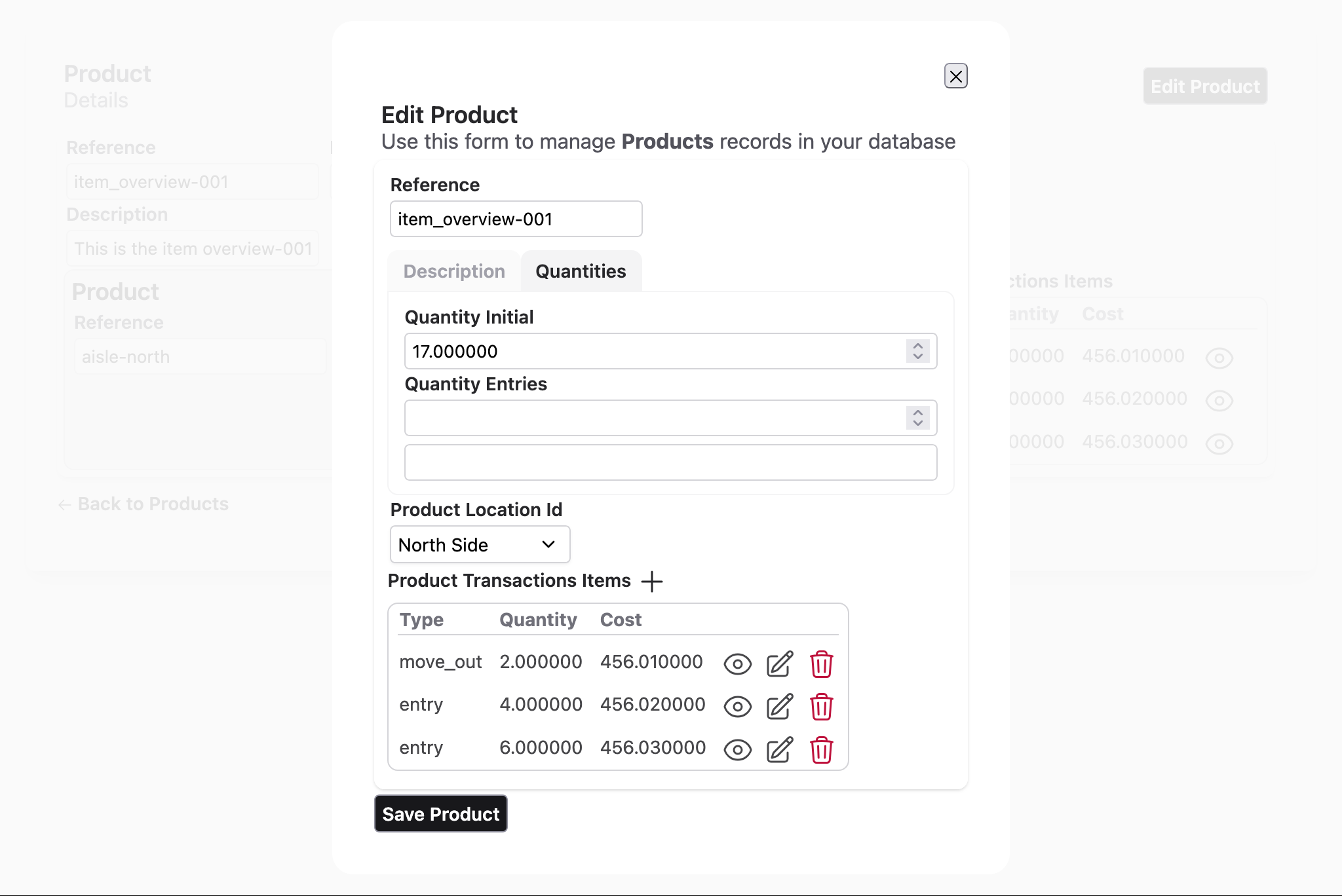
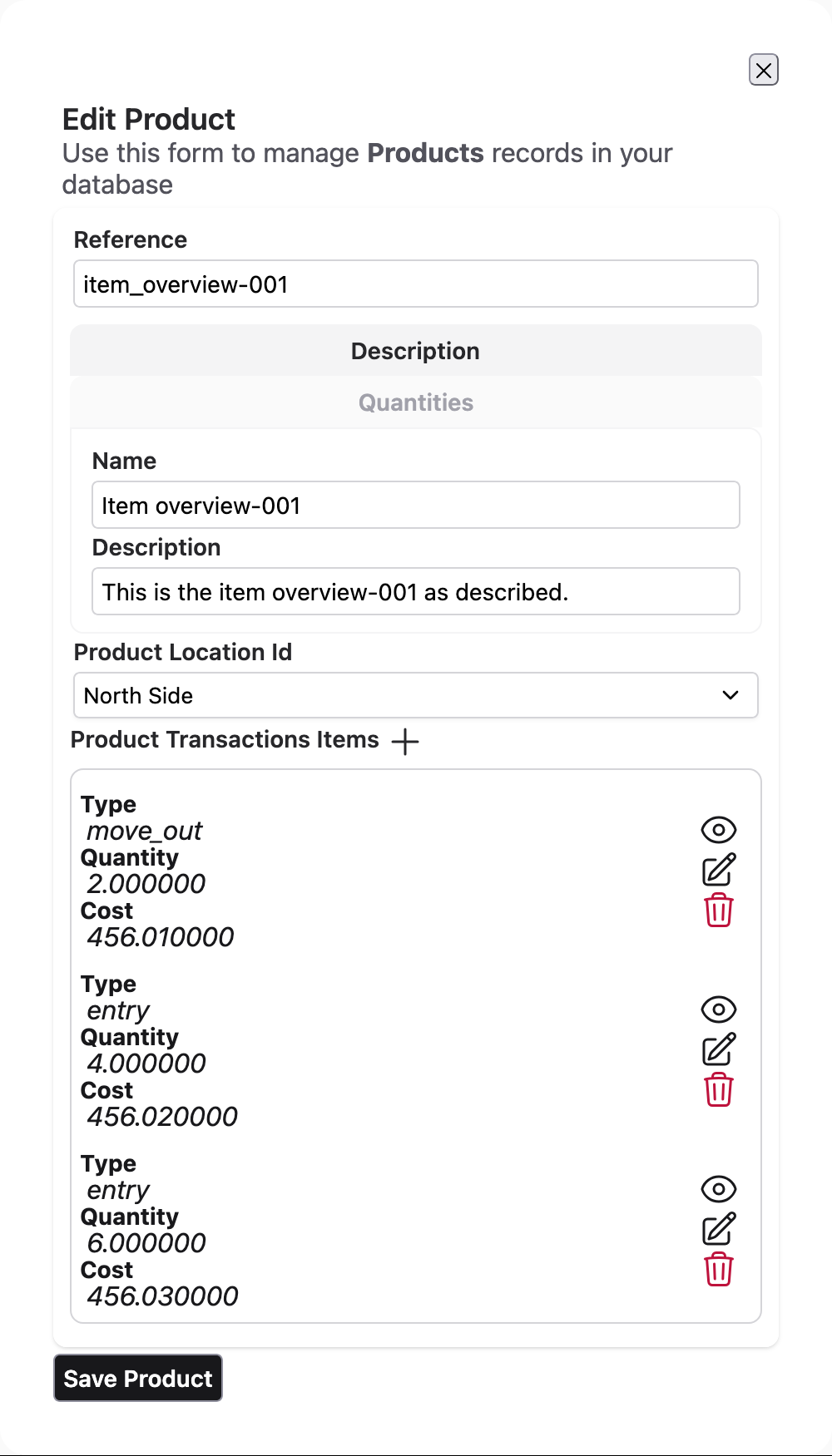
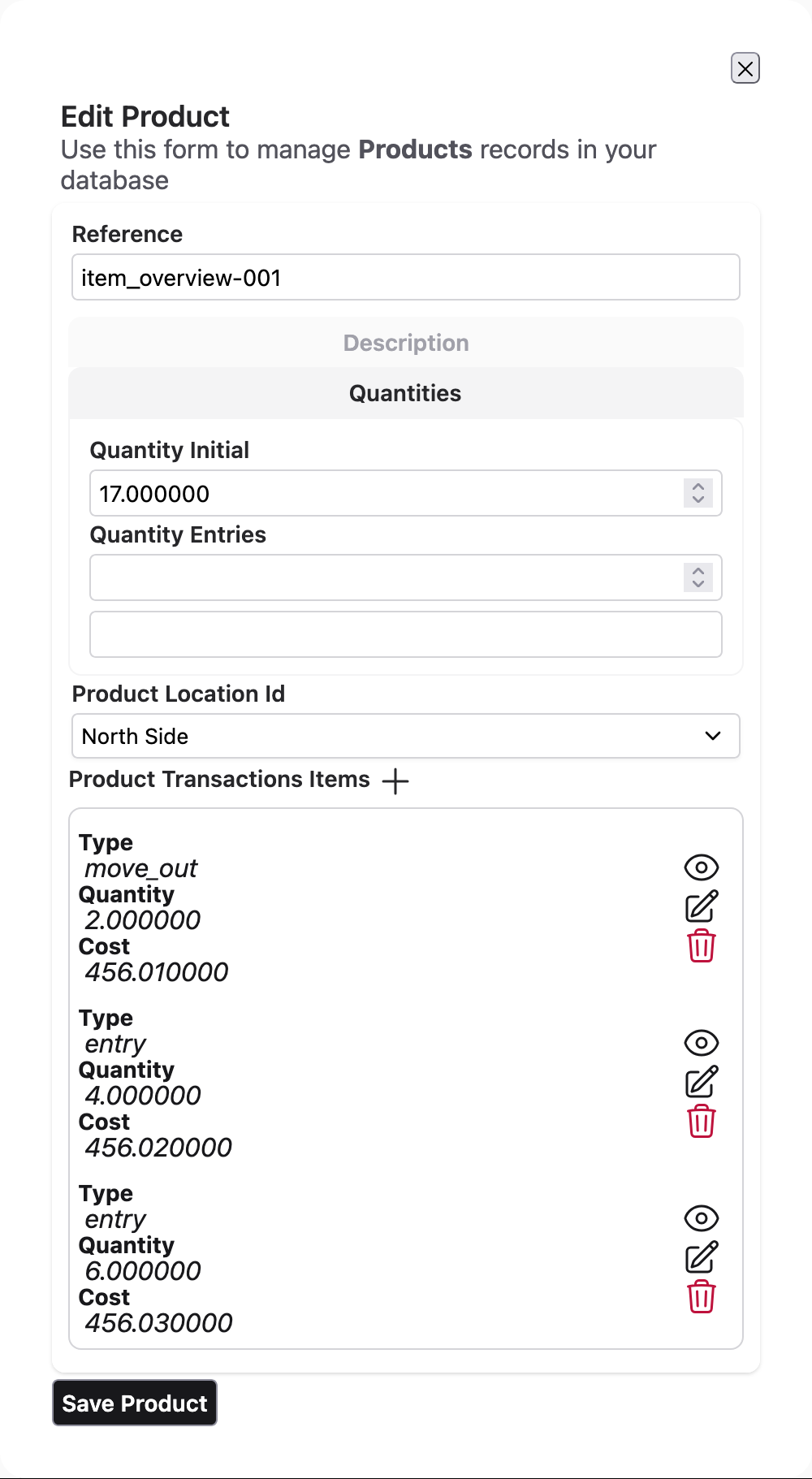
- ✅ Editable form with grouped fields
- ✅ Association handling (location selection, transaction links)
- ✅ Automatic validation and error handling
- ✅ Real-time updates via LiveView
Generated UI Examples
Aurora UIX generates complete, responsive CRUD interfaces. Here are examples of automatically generated interfaces:
Desktop Views
List View (Paginated Index)
Detail View (Show)
Edit View with Sections
Section Navigation
Mobile Views
Aurora UIX layouts are fully responsive and adapt to mobile devices:
Mobile List View (Infinite Scroll)

Mobile Detail View (Show)
Mobile Edit View with Sections
Mobile Section Navigation
Who Should Use Aurora UIX?
Aurora UIX is ideal for:
- Rapid Prototyping - Build CRUD interfaces in minutes, not days
- Internal Tools & Admin Panels - Generate admin interfaces for business logic
- MVP Development - Focus on business logic, not UI boilerplate
- Data Management Apps - Applications centered around data entry and management
- Convention-Driven Teams - Teams that value consistency and predictable patterns
Aurora UIX works best when:
- Your primary need is CRUD operations with standard UI patterns
- You want to minimize repetitive form and list code
- Consistency across the application is important
- You want compile-time safety and performance
Aurora UIX is built to be extensible:
- Custom Field Renderers - Implement custom rendering logic for specialized fields
- Layout Components - Create reusable layout compositions
- Custom Templates - Override the default template system
- Theme Customization - Modify existing themes or create new ones from scratch
- LiveView Integration - Hook into LiveView events for business logic
Documentation & Next Steps
Getting Started
Ready to build your first Aurora UIX interface? Follow these steps:
- Getting Started Guide - 10-minute setup and first CRUD interface
- Resource Metadata Guide - Learn how to configure resources
- Layout System Guide - Get to know the layout DSL
Customization & Extension
For details on advanced customization, see:
Troubleshooting
Guide for tackling known issues and corner cases: