High-Level API
The high-level API provides a fluent builder pattern for creating plots. It abstracts away gnuplot command syntax while retaining full flexibility.
Overview
Build plots using a pipeline of functions:
GnuplotEx.new()
|> GnuplotEx.title("My Plot")
|> GnuplotEx.scatter(data, label: "Points")
|> GnuplotEx.x_label("X Axis")
|> GnuplotEx.to_svg("/tmp/plot.svg")
Or start directly from data:
data
|> GnuplotEx.scatter(label: "Points")
|> GnuplotEx.title("My Plot")
|> GnuplotEx.to_svg("/tmp/plot.svg")
2D Plot Types
Scatter Plots
Point-based visualization for discrete data:
data = for x <- 1..50, do: [x, :math.sin(x / 5) + :rand.uniform() * 0.2]

GnuplotEx.scatter(data, label: "Measurements", color: "#E95420", point_size: 1.2)
|> GnuplotEx.title("Scatter Plot")
|> GnuplotEx.x_label("Time")
|> GnuplotEx.y_label("Value")
|> GnuplotEx.to_svg("/tmp/scatter.svg")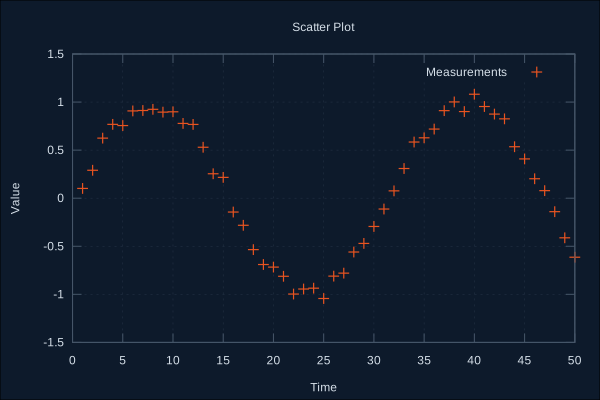
Options:
:label- Legend label:color- Point color:point_type- Shape (1-14 or:circle,:square, etc.):point_size- Size multiplier
Line Plots
Connected points with optional smoothing:
data = for x <- 0..100, do: [x, :math.sin(x / 10)]

GnuplotEx.line(data, label: "Sine", color: "#3daee9", line_width: 2)
|> GnuplotEx.title("Line Plot")
|> GnuplotEx.to_svg("/tmp/line.svg")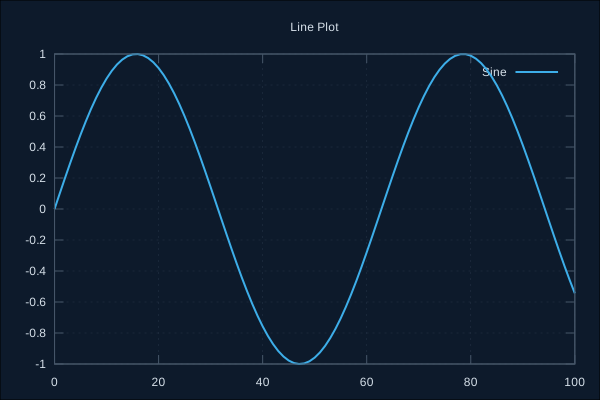
Options:
:label- Legend label:color- Line color:line_width- Line thickness:smooth- Smoothing (:csplines,:bezier,:sbezier)
Multiple Series
Combine multiple series in one plot:
sine = for x <- 0..100, do: [x, :math.sin(x / 10)]
cosine = for x <- 0..100, do: [x, :math.cos(x / 10)]

GnuplotEx.new()
|> GnuplotEx.title("Multiple Series")
|> GnuplotEx.line(sine, label: "sin(x)", color: "#E95420")
|> GnuplotEx.line(cosine, label: "cos(x)", color: "#3daee9")
|> GnuplotEx.legend(:top_right)
|> GnuplotEx.to_svg("/tmp/multi.svg")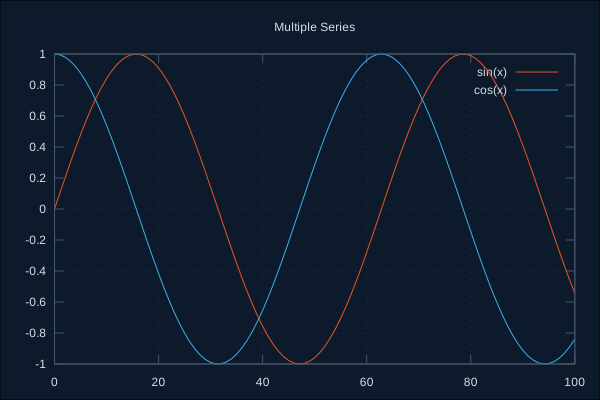
Histograms
Frequency distribution of values:
# Generate normal-ish distribution
data = for _ <- 1..1000, do: Enum.sum(for _ <- 1..12, do: :rand.uniform()) - 6

GnuplotEx.histogram(data, bins: 30, color: "#27ae60", fill: :solid)
|> GnuplotEx.title("Distribution")
|> GnuplotEx.x_label("Value")
|> GnuplotEx.y_label("Frequency")
|> GnuplotEx.to_svg("/tmp/histogram.svg")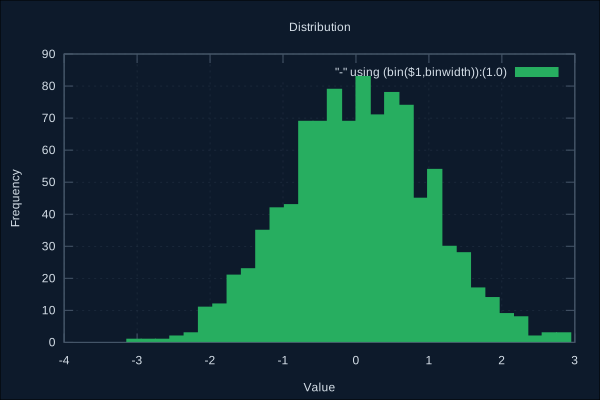
Options:
:bins- Number of bins:color- Bar color:fill- Fill style (:solid,:transparent)
Pie Charts
Proportional data as circular sectors:
data = [
  %{label: "Desktop", value: 45},
  %{label: "Mobile", value: 35},
  %{label: "Tablet", value: 15},
  %{label: "Other", value: 5}
]

GnuplotEx.pie(data, colors: ["#E95420", "#3daee9", "#27ae60", "#f39c12"])
|> GnuplotEx.title("Device Usage")
|> GnuplotEx.to_svg("/tmp/pie.svg")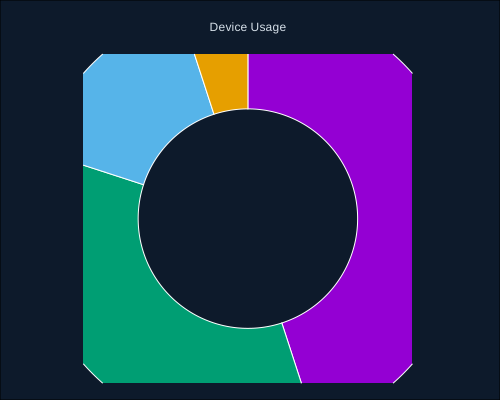
Data formats:
- List of values:
[30, 25, 20] - List of maps:
[%{label: "A", value: 30}, ...] - List of tuples:
[{"A", 30}, {"B", 25}]
Options:
:labels- Slice labels:colors- Color list or palette name:explode- Indices of slices to offset:start_angle- Starting angle in degrees
Donut Charts
Pie chart with hollow center:
data = [30, 25, 20, 15, 10]

GnuplotEx.donut(data,
  inner_radius: 0.5,
  labels: ["A", "B", "C", "D", "E"],
  colors: :viridis)
|> GnuplotEx.title("Donut Chart")
|> GnuplotEx.to_svg("/tmp/donut.svg")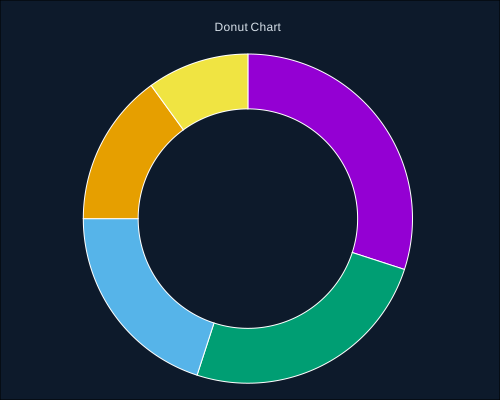
Options: All pie options plus:
:inner_radius- Hole size 0.0-1.0 (default: 0.5)
Polygons
Filled closed shapes:
# Triangle
triangle = [[0, 0], [2, 0], [1, 1.7]]

# Square
square = [[3, 0], [5, 0], [5, 2], [3, 2]]

GnuplotEx.new()
|> GnuplotEx.polygon(triangle, color: "#E95420", label: "Triangle")
|> GnuplotEx.polygon(square, color: "#3daee9", label: "Square")
|> GnuplotEx.title("Polygons")
|> GnuplotEx.to_svg("/tmp/polygon.svg")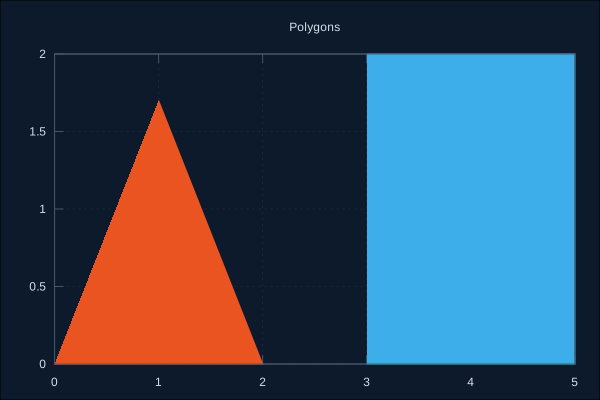
Options:
:color- Fill color:fill- Style (:solid,:transparent,:empty):alpha- Transparency 0.0-1.0:border_color- Border color:border_width- Border thickness
3D Plot Types
3D Scatter
Point clouds in 3D space:
# Random 3D points
points = for _ <- 1..200 do
  [:rand.uniform() * 10, :rand.uniform() * 10, :rand.uniform() * 10]
end

GnuplotEx.scatter3d(points, label: "Random", color: "#E95420")
|> GnuplotEx.title("3D Scatter")
|> GnuplotEx.x_label("X")
|> GnuplotEx.y_label("Y")
|> GnuplotEx.z_label("Z")
|> GnuplotEx.view_angle(60, 30)
|> GnuplotEx.to_svg("/tmp/scatter3d.svg")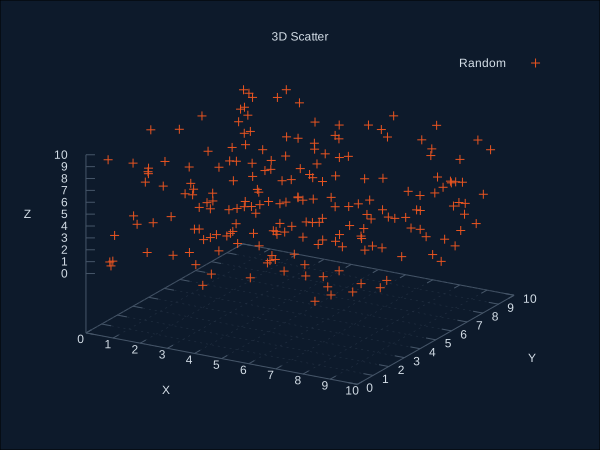
Surfaces
3D surface from data or function:
# From data points
data = for x <- -20..20, y <- -20..20 do
  xf = x / 5
  yf = y / 5
  z = :math.sin(:math.sqrt(xf*xf + yf*yf))
  [xf, yf, z]
end

GnuplotEx.surface(data)
|> GnuplotEx.title("Surface Plot")
|> GnuplotEx.palette(:viridis)
|> GnuplotEx.view_angle(60, 30)
|> GnuplotEx.to_svg("/tmp/surface.svg")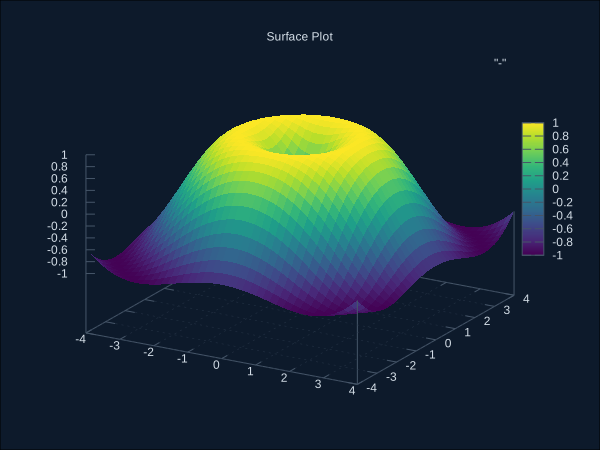
From function:
GnuplotEx.surface(
  fn x, y -> :math.sin(x) * :math.cos(y) end,
  x_range: {-:math.pi(), :math.pi()},
  y_range: {-:math.pi(), :math.pi()},
  samples: {40, 40}
)
|> GnuplotEx.palette(:plasma)
|> GnuplotEx.to_svg("/tmp/surface_fn.svg")
Options:
:surface_style-:pm3d,:lines,:hidden3d:samples- Grid resolution
Parametric Surfaces
Surfaces defined by parametric equations:
# Torus
torus = fn u, v ->
  r = 0.3  # tube radius
  c = 1.0  # center radius
  {(c + r * :math.cos(v)) * :math.cos(u),
   (c + r * :math.cos(v)) * :math.sin(u),
   r * :math.sin(v)}
end

GnuplotEx.parametric_surface(torus,
  u_range: {0, 2 * :math.pi()},
  v_range: {0, 2 * :math.pi()},
  samples: {40, 20})
|> GnuplotEx.title("Torus")
|> GnuplotEx.palette(:magma)
|> GnuplotEx.to_svg("/tmp/torus.svg")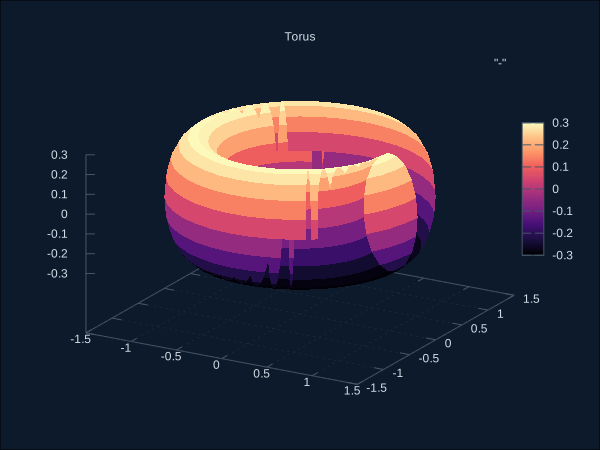
Contour Plots
Level curves of 3D data:
data = for x <- -30..30, y <- -30..30 do
  xf = x / 10
  yf = y / 10
  [xf, yf, xf*xf - yf*yf]
end

GnuplotEx.contour(data, contour_levels: 15, contour_style: :base)
|> GnuplotEx.title("Contour Plot")
|> GnuplotEx.palette(:cividis)
|> GnuplotEx.to_svg("/tmp/contour.svg")
Options:
:contour_levels- Number of contour lines:contour_style-:base,:surface,:both
3D Polygons
Filled shapes in 3D:
# Two triangles forming a surface
mesh = [
  [[0, 0, 0], [1, 0, 0], [0.5, 0.5, 1]],
  [[1, 0, 0], [1, 1, 0], [0.5, 0.5, 1]]
]

GnuplotEx.polygon3d(mesh, color: "#E95420", alpha: 0.8)
|> GnuplotEx.title("3D Mesh")
|> GnuplotEx.view_angle(60, 30)
|> GnuplotEx.to_svg("/tmp/mesh.svg")
Multivariate Plots
Spider/Radar Charts
Compare entities across multiple axes:
data = [
  %{name: "Product A", quality: 8, price: 6, support: 9, features: 7, ease: 8},
  %{name: "Product B", quality: 6, price: 9, support: 5, features: 8, ease: 7}
]

GnuplotEx.spider(data, filled: true, alpha: 0.3)
|> GnuplotEx.title("Product Comparison")
|> GnuplotEx.to_svg("/tmp/spider.svg")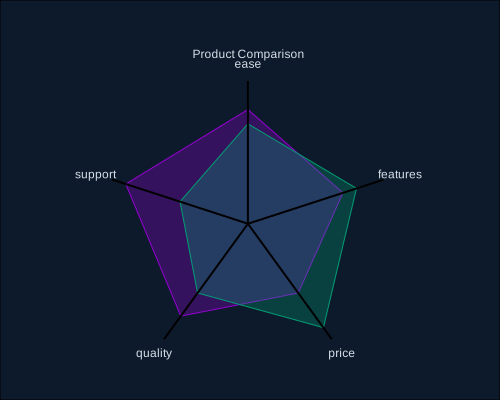
Data formats:
- Single map:
%{axis1: v1, axis2: v2, ...} - List of maps:
[%{name: "A", axis1: v1, ...}, ...] - Matrix with axes:
[[v1, v2], [v3, v4]]with:axesoption
Options:
:filled- Fill the polygon:alpha- Fill transparency:axes- Axis names for matrix data
Parallel Coordinates
Visualize high-dimensional data:
data = [
  %{price: 25000, mpg: 32, hp: 130, weight: 2800},
  %{price: 35000, mpg: 28, hp: 180, weight: 3200},
  %{price: 45000, mpg: 22, hp: 250, weight: 3800},
  %{price: 55000, mpg: 18, hp: 350, weight: 4200}
]

GnuplotEx.parallel(data, color: "#3daee9", line_width: 2)
|> GnuplotEx.title("Car Specifications")
|> GnuplotEx.to_svg("/tmp/parallel.svg")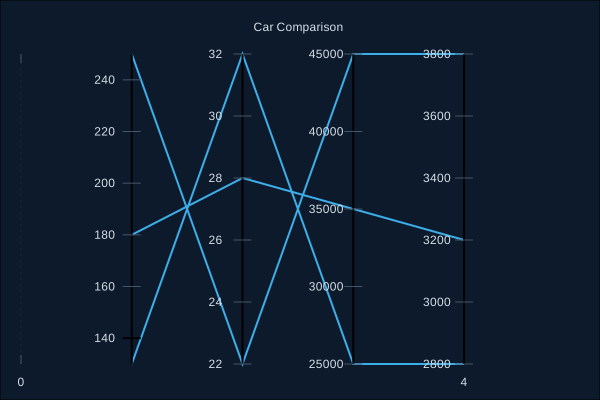
Configuration
Title and Labels
GnuplotEx.new()
|> GnuplotEx.title("Main Title")
|> GnuplotEx.x_label("X Axis Label")
|> GnuplotEx.y_label("Y Axis Label")
|> GnuplotEx.z_label("Z Axis Label")  # 3D only
Axis Ranges
GnuplotEx.new()
|> GnuplotEx.x_range(0..100)        # Integer range
|> GnuplotEx.y_range({-1.5, 1.5})   # Float tuple
|> GnuplotEx.z_range(-10..10)       # 3D only
Legend Position
GnuplotEx.new()
|> GnuplotEx.legend(:top_left)      # Position
|> GnuplotEx.legend(:off)           # Hide legend
Positions: :top_right, :top_left, :bottom_right, :bottom_left, :top_center, :bottom_center, :center, :off
Plot Size
GnuplotEx.new()
|> GnuplotEx.size({800, 600})
3D View Angle
GnuplotEx.surface(data)
|> GnuplotEx.view_angle(60, 30)     # rotation, elevation
|> GnuplotEx.azimuth(15)            # additional rotation
Themes
Apply consistent styling with themes:
# Built-in themes
GnuplotEx.new() |> GnuplotEx.theme(:default)
GnuplotEx.new() |> GnuplotEx.theme(:dark)
GnuplotEx.new() |> GnuplotEx.theme(:publication)
Default Theme
Minimal styling with grid enabled.
Dark Theme
Dark background with light text. Good for presentations.
GnuplotEx.scatter(data)
|> GnuplotEx.theme(:dark)
|> GnuplotEx.title("Dark Theme")
|> GnuplotEx.to_svg("/tmp/dark.svg")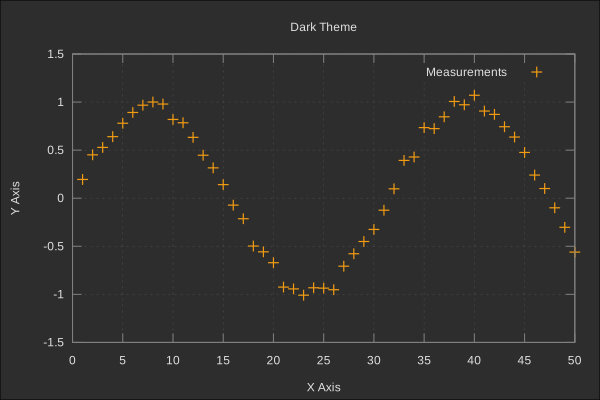
Publication Theme
Clean black-and-white style for papers.
GnuplotEx.line(data)
|> GnuplotEx.theme(:publication)
|> GnuplotEx.title("Publication Ready")
|> GnuplotEx.to_svg("/tmp/publication.svg")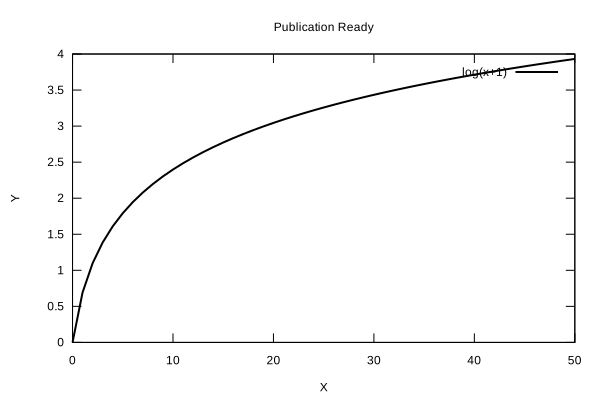
Color Palettes
Named palettes for surfaces and heatmaps:
GnuplotEx.surface(data) |> GnuplotEx.palette(:viridis)
GnuplotEx.surface(data) |> GnuplotEx.palette(:magma)
GnuplotEx.surface(data) |> GnuplotEx.palette(:plasma)
GnuplotEx.surface(data) |> GnuplotEx.palette(:inferno)
GnuplotEx.surface(data) |> GnuplotEx.palette(:cividis)
GnuplotEx.surface(data) |> GnuplotEx.palette(:turbo)
Custom palette:
GnuplotEx.surface(data)
|> GnuplotEx.palette(["#440154", "#21918c", "#fde725"])
Control colorbar:
GnuplotEx.surface(data)
|> GnuplotEx.colorbar_range(0..100)
|> GnuplotEx.colorbar(:off)  # Hide colorbar
Nonlinear Axes
Transform axis scales:
# Log scale
GnuplotEx.scatter(data)
|> GnuplotEx.nonlinear(:x, :log10)
|> GnuplotEx.nonlinear(:y, :log10)

# Other presets
|> GnuplotEx.nonlinear(:x, :log)      # Natural log
|> GnuplotEx.nonlinear(:x, :sqrt)     # Square root
|> GnuplotEx.nonlinear(:x, :inverse)  # 1/x
|> GnuplotEx.nonlinear(:x, :probit)   # Normal CDF
|> GnuplotEx.nonlinear(:x, :logit)    # Logit

# Custom transformation
|> GnuplotEx.nonlinear(:y, via: "asin(y)", inverse: "sin(y)")
Supported axes: :x, :x2, :y, :y2, :z, :r, :cb
Remove transformation:
plot |> GnuplotEx.unset_nonlinear(:x)Output Formats
SVG (Vector)
plot |> GnuplotEx.to_svg("/tmp/plot.svg")PNG (Raster)
plot |> GnuplotEx.to_png("/tmp/plot.png")Generic Render
plot |> GnuplotEx.render(:svg, output: "/tmp/plot.svg")
plot |> GnuplotEx.render(:png, output: "/tmp/plot.png", size: {1200, 800})
plot |> GnuplotEx.render(:pdf, output: "/tmp/plot.pdf")
ASCII Art
{:ok, ascii} = plot |> GnuplotEx.to_ascii()
IO.puts(ascii)
Abbreviations
Common options have short forms:
| Short | Full |
|---|---|
:t | :title / :label |
:c | :color |
:lw | :line_width |
:ps | :point_size |
:pt | :point_type |
:xl | :x_label |
:yl | :y_label |
:zl | :z_label |
:xr | :x_range |
:yr | :y_range |
:zr | :z_range |
:pal | :palette |
:f | :filled |
:a | :alpha |
:bc | :border_color |
:bw | :border_width |
:ir | :inner_radius |
Example:
GnuplotEx.scatter(data, t: "Points", c: "#E95420", ps: 1.5)Inspection and Debugging
View Generated Commands
spec = GnuplotEx.scatter(data) |> GnuplotEx.to_spec()
IO.puts(spec.script)
Dry Mode
{:ok, spec} = GnuplotEx.render(plot, :svg, output: "/tmp/test.svg", dry: true)
IO.inspect(spec)
Export Script
Save reproducible gnuplot script:
GnuplotEx.scatter(data)
|> GnuplotEx.title("My Plot")
|> GnuplotEx.save_script("/tmp/plot.gp")
Raw Command Escape Hatch
For features not covered by the high-level API:
GnuplotEx.new()
|> GnuplotEx.scatter(data)
|> GnuplotEx.command([:set, :grid, :xtics])
|> GnuplotEx.command([:set, :arrow, :from, {0, 0}, :to, {10, 10}])
|> GnuplotEx.to_svg("/tmp/custom.svg")
Complete Example
# Generate sample data
:rand.seed(:exsss, {42, 42, 42})

measured = for x <- 1..50 do
  [x, :math.sin(x / 8) * 10 + :rand.uniform() * 3 - 1.5]
end

trend = for x <- 1..50 do
  [x, :math.sin(x / 8) * 10]
end

# Create publication-ready plot
GnuplotEx.new()
|> GnuplotEx.title("Experimental Results")
|> GnuplotEx.scatter(measured, label: "Measured", color: "#E95420", point_size: 0.8)
|> GnuplotEx.line(trend, label: "Model", color: "#3daee9", line_width: 2)
|> GnuplotEx.x_label("Time (s)")
|> GnuplotEx.y_label("Amplitude (V)")
|> GnuplotEx.x_range(0..55)
|> GnuplotEx.y_range({-15, 15})
|> GnuplotEx.legend(:top_right)
|> GnuplotEx.size({700, 450})
|> GnuplotEx.to_svg("/tmp/complete.svg")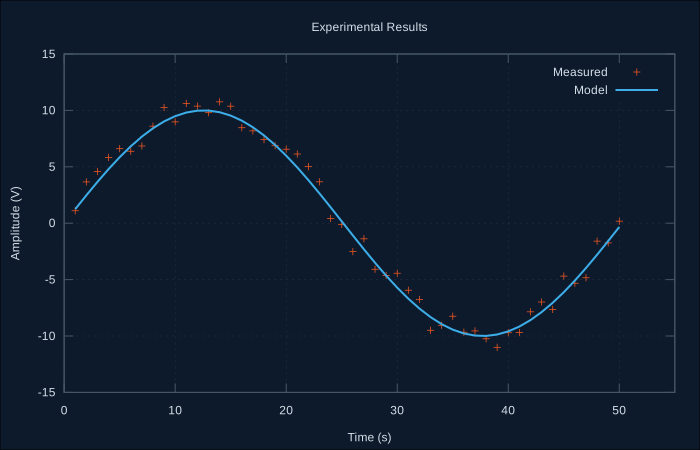
Next Steps
- Low-Level API - Direct gnuplot control