README
View Source
Marcli
CommonMark Markdown to ANSI-escaped terminal output
Marcli converts Markdown into styled terminal text using ANSI escape sequences. It parses via MDEx and renders headings, lists, code blocks, inline formatting, links, images, and more as richly styled output for terminal emulators.
Screenshot
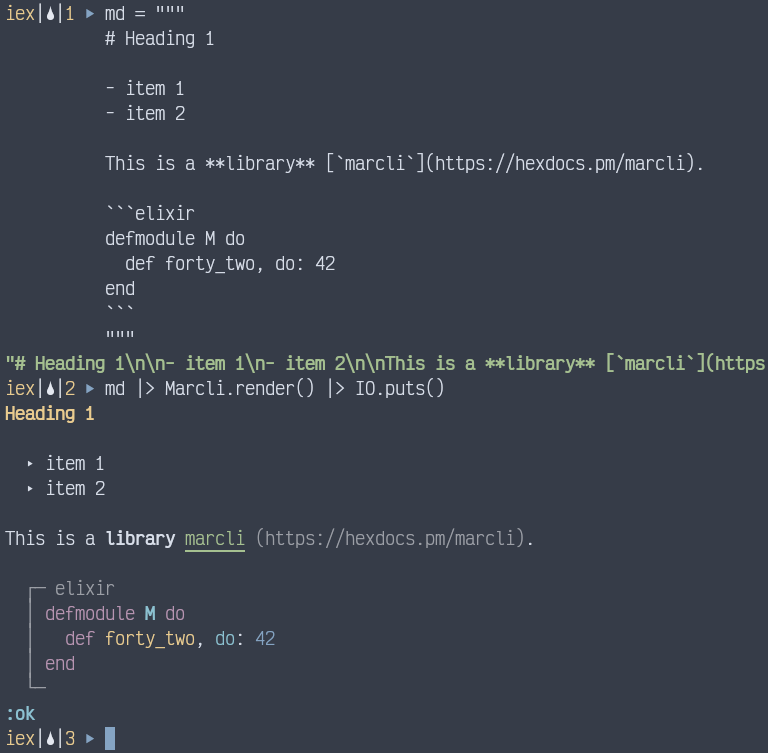
Supported Elements
- Headings (h1: bold yellow, h2: bold cyan, h3+: bold white)
- Bold, italic, strikethrough, inline code
- Bullet lists (triangle markers) and ordered lists (circled numbers)
- Code blocks with optional language headers (syntax-highlighted when a
makeup_langlexer is loaded) - Block quotes (vertical bar prefix)
- Thematic breaks (horizontal rules)
- Links (underlined blue with dimmed URL)
- Images (bracketed alt text with URL)
- Task list items (checkbox markers)
- Shortcodes (emoji)
Installation
Add marcli to your list of dependencies in mix.exs:
def deps do
  [
    {:marcli, "~> 0.1.0"}
  ]
end
Usage
# Basic rendering
output = Marcli.render("# Hello\n\nSome **bold** text.")
IO.puts(output)

# With CRLF line endings (e.g. for xterm.js)
output = Marcli.render(markdown, newline: "\r\n")
Syntax Highlighting
When a makeup_<lang> lexer library is loaded (e.g. makeup_elixir,
makeup_erlang, makeup_html), fenced code blocks tagged with a language
identifier are automatically syntax-highlighted using ANSI escape sequences.
Add the desired lexer(s) to your mix.exs dependencies:
{:makeup_elixir, ">= 0.0.0", optional: true}No extra configuration is needed. Marcli detects the lexer at runtime via
Makeup.Registry. If no matching lexer is available, the block renders without highlighting.
Options
:newline-- the line ending to use (default:"\n"). Pass"\r\n"for xterm.js or other terminals that require CRLF.
Documentation
Credits
Created as part of the Oeditus code quality tooling ecosystem.
License
MIT