You can review code, in real-time, with Tidewave Web.
Our code review is designed around two main workflows:
Intercalated reviews — in this scenario, the coding agent does the work in the background, and the developer reviews the work when the agent is done. During the review, you may request additional changes, which may require additional reviews
Real-time reviews — in this scenario, you review the code as the coding agent is working, immediately giving the agent feedback
Tidewave Web enables both by updating the code review pane in real-time and allowing you to mark which code sections (hunks in git terms) have been reviewed:
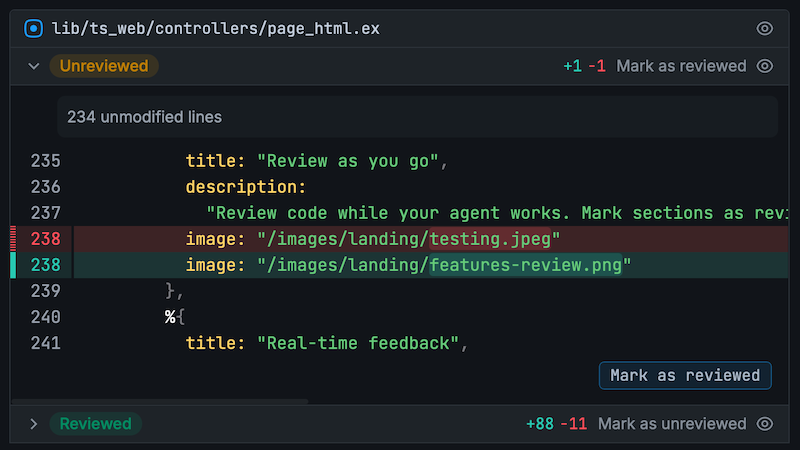
Future changes show as diffs on top of what you've already reviewed, so you no longer end-up reviewing the same code multiple times, regardless if you are working in tandem with the agent (real-time) or reviewing it once it is done.
Within the code review pane, you can also comment on any change and send it to your agent as feedback, either immediately or queued up for when it finishes its current turn:
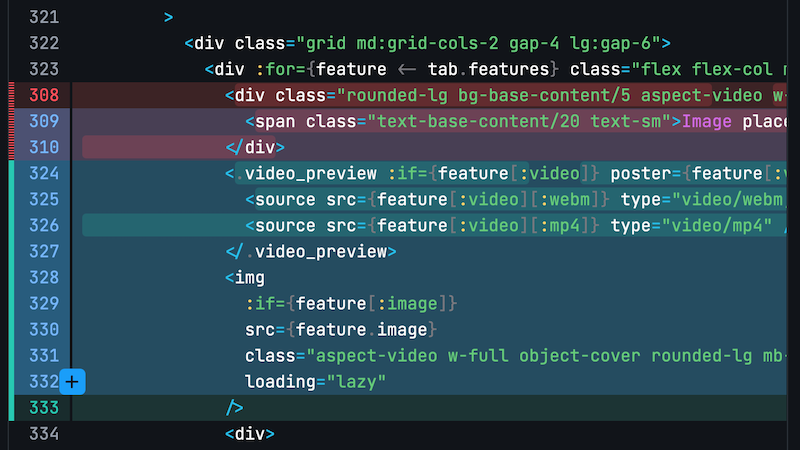
Once you have reviewed all code, click the "Stage reviewed" button at the top-right to stage all reviewed changes. Then you may prompt your agent to "commit staged changes" next.
Opening up diffs and files in your editor
If you Ctrl+Click (or Cmd+Click) a line number, either within the code review or while viewing a file, Tidewave will automatically open up that file+line in your editor of choice.
Configuration
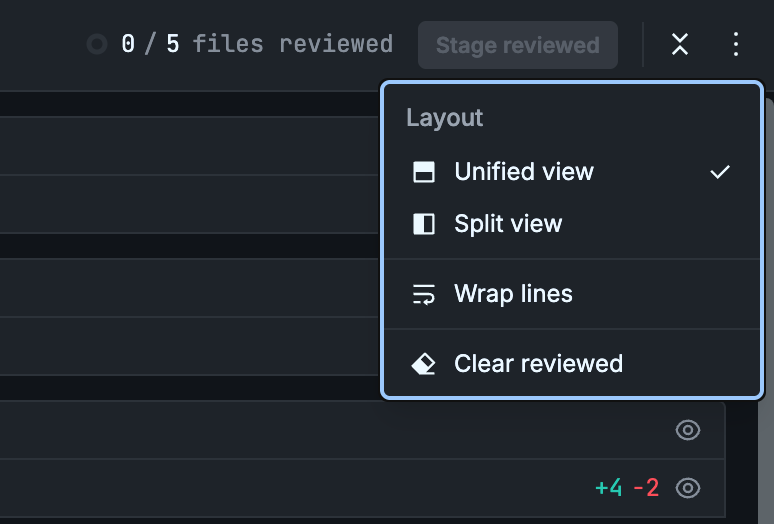
We currently support both unified and split diffs and have an option to wrap lines. Click on the ⋮ button on the top-right to configure it:
Branch switching
You can switch and create branches by clicking the current branch name in the code bar:
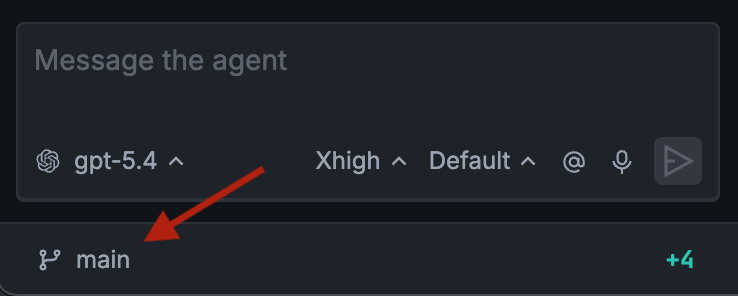
You can also click on the diff summary (+-) to be taken to the code review page.