Tidewave Web directly integrates with Git, allowing developers to swap branches, push/pull, as well as reference pull request reviews and fix CI with the click of a button.
The Git bar
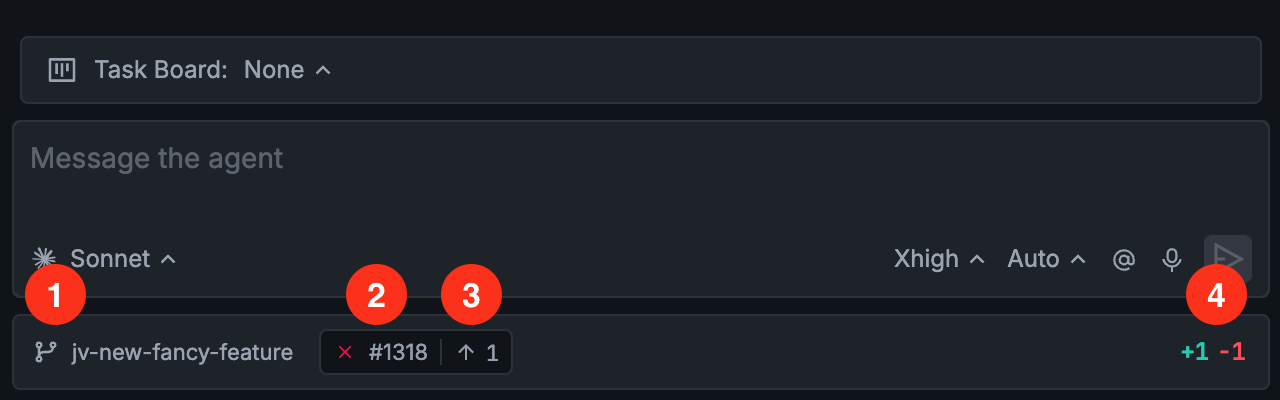
The Git bar (at the bottom of the screenshot) allows developers to see and access the following information at a glance:
Shows the current branch. On click, it allows developers to switch branches, push/pull to the current branch, and open up pull requests
Shows GitHub's pull request status. On mouse over it links to the pull request, show CI checks, reviews, and merge status. Requires the GitHub CLI (gh)
Shows unpushed commits. On mouse over, lists all unpushed commits, with convenient shortcuts to reword the last commit message and to push
Shows the diff status (lines added and removed). On click, it opens up the code review pane
Branch information
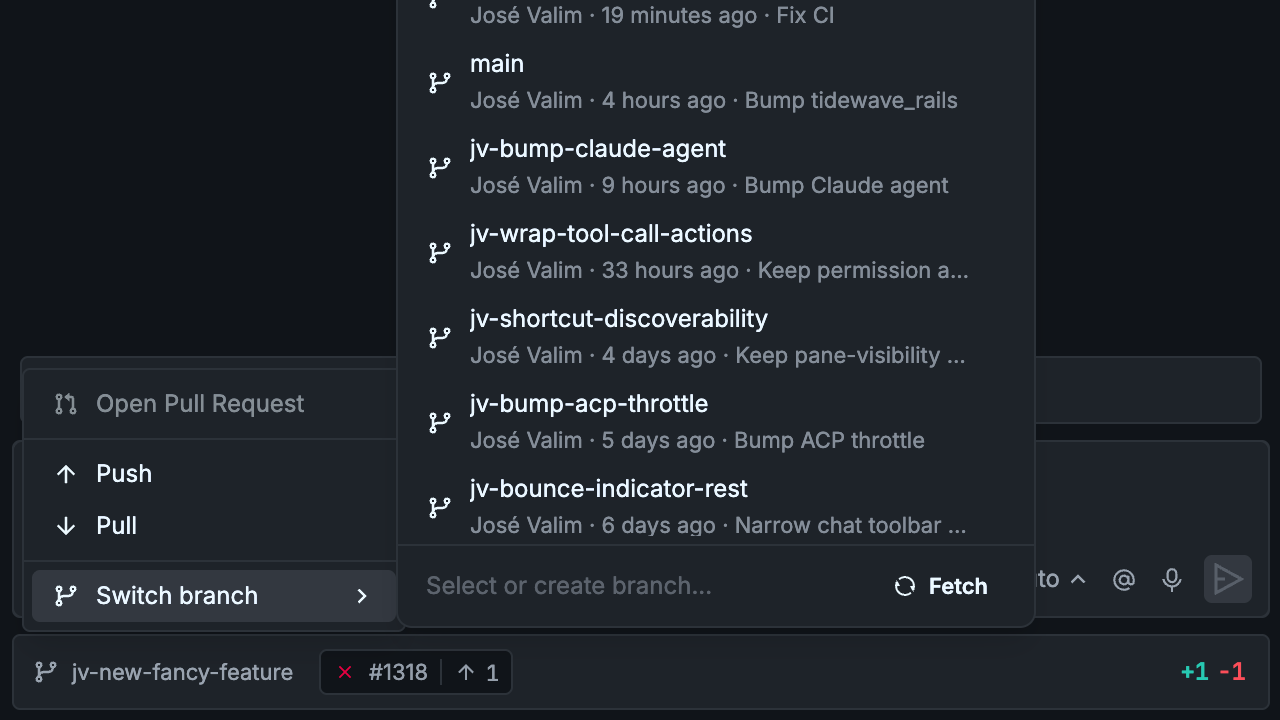
Search and switch branches, create new branches, fetch origin, push, pull, and open pull requests.
Pull request status
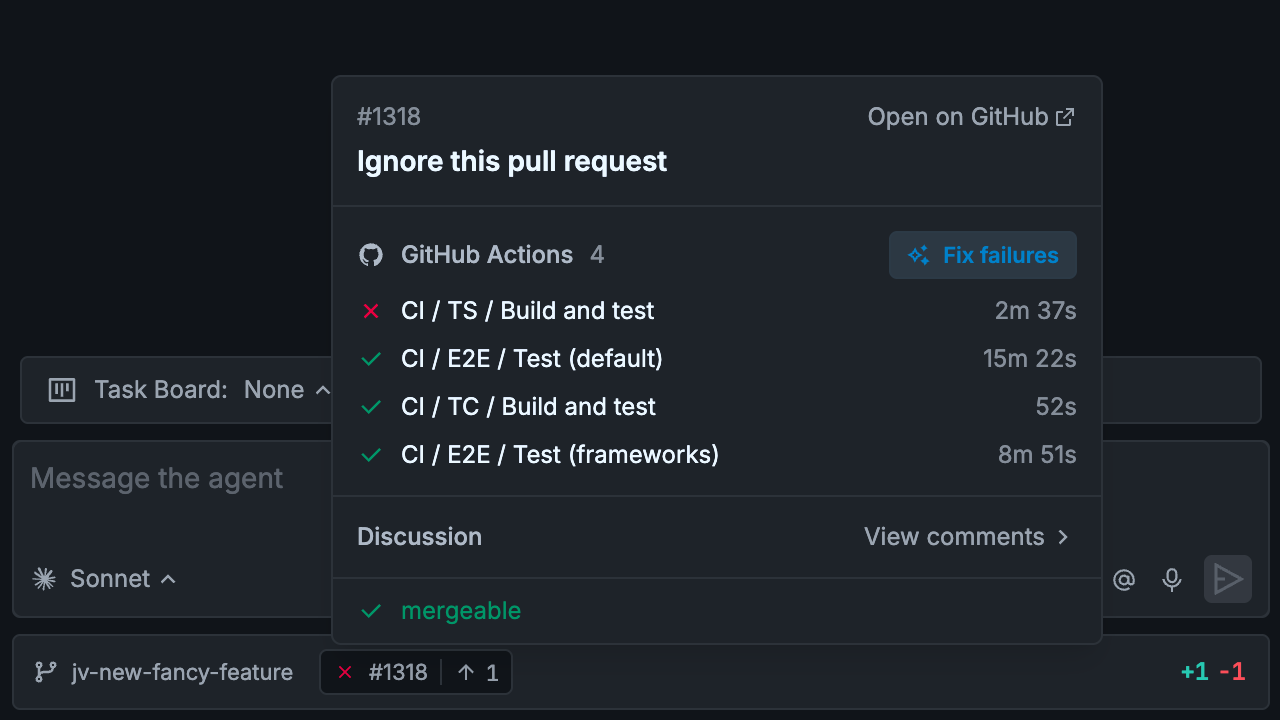
Access pull requeqst information, visualize CI checks, reviews, and merge status. Click on "Fix failures" to fetch logs from GitHub Actions runs and fix them. Click "View comments" to see reviews and pull request comments, and reference them them in your chat prompt.
Unpushed commits
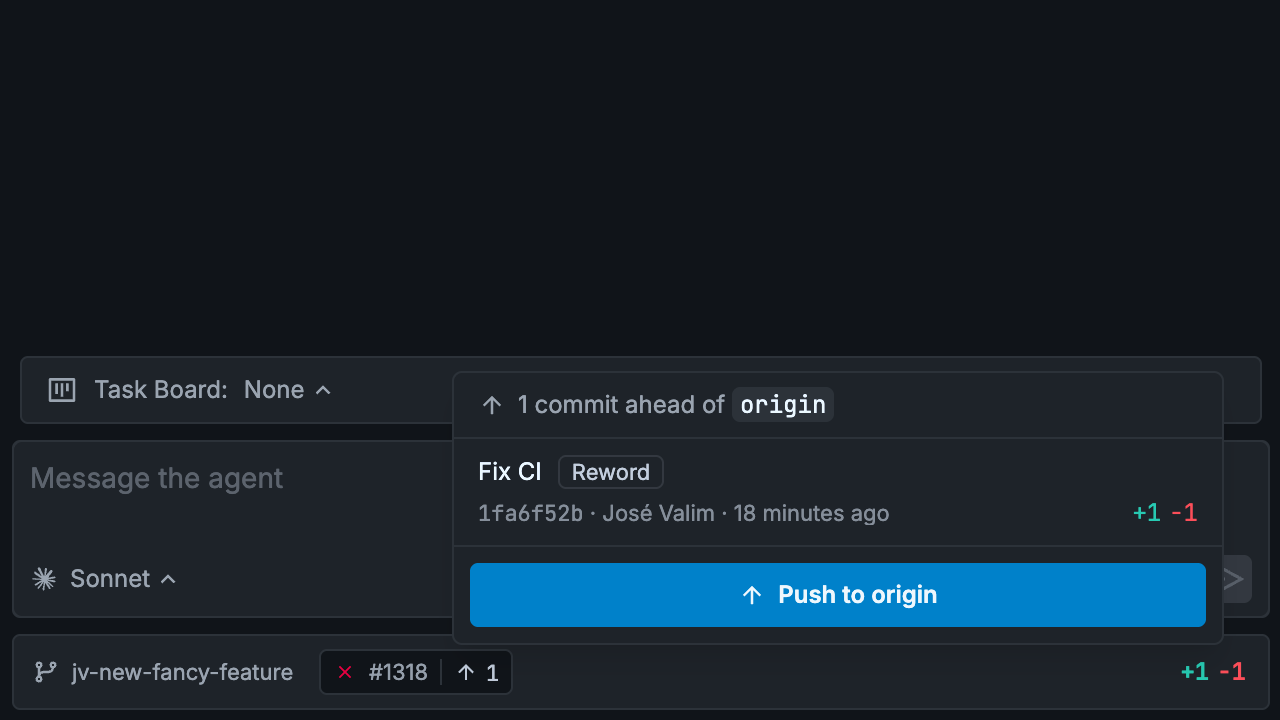
Shows unpushed commits whenever you branch is ahead remote. You can reword the latest commit message or click a single button to push.